How to use this glossary
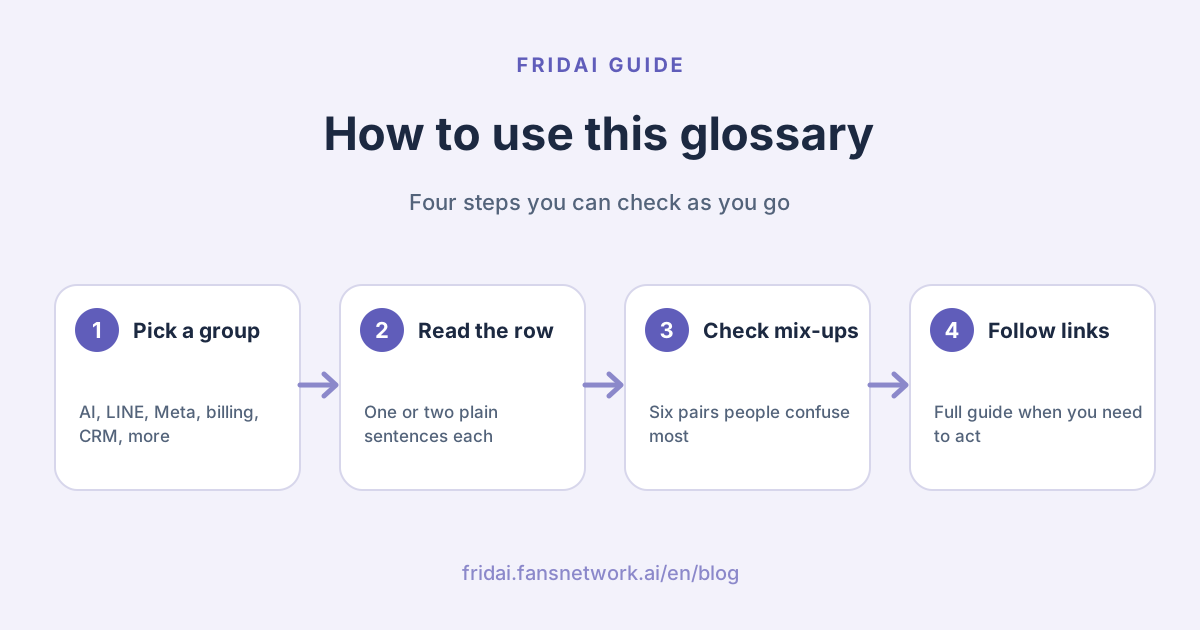
A vendor deck can fit ten abbreviations on one slide, and not wanting to ask is normal. Using this page takes three steps: decide what the term is about, find the plain explanation in that group, and click through to the guide only when you actually need to act.
Two reminders. First, the same word can mean different things on different platforms. A "tag" on LINE is a label on a chat, while a "message tag" in Meta's messaging policy marks the purpose of a message sent outside the reply window, so they sit in different groups here. Second, platform rules change. Treat every number below as the version on the day we checked, and look at the official page again before you act.
AI customer service and models
Start with the AI itself. These terms decide whether you can follow what a vendor is actually selling.
| Term | Plain-English meaning | Read more |
|---|---|---|
| AI customer service (AI 客服) | A language model reads the customer's natural sentence, answers from your brand knowledge and rules, asks for what is missing and hands over to a human when needed. It understands "four people, no beef, somewhere quiet". | AI customer service vs chatbot |
| Chatbot (聊天 | Any program that replies automatically in a chat window. The rule-based kind follows menus and keywords, so results are predictable, but it can stall when a customer rephrases. "Comment MENU to get the menu" suits it well. | AI customer service vs chatbot |
| AI agent (AI Agent/AI 代理) | It does more than answer: it decides, picks a tool, acts and reads the result to reach a goal. It checks open slots, submits the change, and only says "done" after seeing a success status. On errors it stops and hands over. | What is an AI agent |
| Large language model, LLM (大型 | The model behind AI customer service that reads and writes text. It is good at producing fluent sentences, but it does not know your prices or policies unless you supply them. | — |
| AI hallucination (AI 幻覺) | The AI has no answer, yet fills the gap with a confident sentence. You never wrote parking details and it replies "there is parking nearby". Bounded knowledge, rules and human handover are the three guards. | 9 questions before you adopt AI customer service |
| Knowledge base (知識庫) | The content you approve for the AI to quote, such as prices, opening hours and return policy. Leave an old campaign in and the AI will quote last year's price, so someone has to update it regularly. | 9 questions before you adopt AI customer service |
| AI rules, or prompt (AI 規則) | The job description you write for the AI: who it is, what to do in which situation, what it must never promise and what counts as finished. For example: never promise refunds, discounts or delivery dates; hand over first. | How to write AI customer service rules |
| Intent (意圖) | What the customer actually wants to get done. "Any tables left?", "Is Saturday OK?" and "I want to book" are worded differently but share one intent: a booking. Get it right and you know whether to answer, ask or hand over. | — |
| Human handover (真人 | The AI passes the chat to a person together with the earlier context and the point where it got stuck. Complaints, exceptions and high-risk questions should all be handed over. A handover without context just makes the customer repeat everything. | LINE AI customer service tools |
Our biased ordering: learn hallucination, rules and human handover first. Getting the other terms wrong means buying the wrong tool at worst. Getting these three wrong means giving a customer a wrong answer.
LINE Official Account
LINE, the messaging app most Taiwanese shoppers use every day, has the longest vocabulary and the closest tie to message fees. This group covers the account and console features; anything about money sits under "Messages and billing".
| Term | Plain-English meaning | Read more |
|---|---|---|
| LINE Official Account, LINE OA (LINE 官方帳號) | The business account a shop uses to chat with and message customers on LINE. There are three types: standard, verified and enterprise. LINE states that basic features and billing are the same for all three; the difference is whether the account passed review. | LINE Official Account setup guide |
| Verified account (認證 | An account that passed LINE's document review. It shows a verification badge and can appear in LINE search results. You need a premium ID before applying. It confirms identity; it does not unlock more features. | LINE Official Account setup guide |
| Premium ID (專屬 ID) | An "@ plus your own text" ID that replaces the random one the system assigns. It is billed yearly and cannot be changed after purchase. Useful when you have to say the ID out loud, such as on the phone or on a sign. | LINE Official Account pricing 2026 |
| Target friends (目標 | People who added you as a friend and have not blocked you, in other words the people a broadcast can reach. Broadcast counts are based on this number, so use it, not total friends, when estimating cost. | How to get LINE friends |
| Auto-response message (自動 | A fixed reply sent when the customer's text exactly matches a keyword you set. One extra character or a typo and it does not fire. The keyword limit is 51. Best for fixed answers such as opening hours and price lists. | LINE auto-reply setup and examples |
| AI chatbot beta (AI 聊天 | A beta feature in the LINE console that picks the best match from the FAQ entries you create and can handle some rephrasing. It requires the Advanced Chat plan (聊天 | LINE AI auto-reply: three routes |
| Rich menu (圖文 | An image with tappable areas pinned to the bottom of the chat, so it never scrolls away with new messages. Good for booking, menu and store information. It is not shown on LINE for desktop. | LINE rich menu guide |
| Chat tag (聊天 | A label on a one-on-one chat, such as "regular" or "asked about classes". The free tier allows 5 tags in total and 1 per chat; the Advanced Chat plan raises that to 300 and 30. | LINE segmented messages and tags |
For campaigns, the console also has coupons and reward cards. How they work and where the limits are is covered in LINE coupons, reward cards and lucky draws.
Meta: Instagram, Facebook and Messenger
Nearly every Meta term circles one idea: if the customer has not spoken, you mostly cannot message first. Understand the 24-hour rule and the rest read as its exceptions.
| Term | Plain-English meaning | Read more |
|---|---|---|
| Professional account (專業 | An Instagram business or creator account. Meta's messaging API supports only these two, so a personal account must be switched before an auto-reply tool can connect. | Instagram auto-reply tools |
| Meta Business Suite | Meta's own management console. In one place you can answer Facebook and Instagram messages, set inbox automations, schedule posts and read insights. | Social scheduling tools 2026 (in Chinese) |
| 24-hour rule, standard messaging window (24 小時 | After a customer messages or interacts, you have 24 hours to reply, and promotional content is allowed in that time. The clock starts from the customer's action. After it closes, ordinary messages fail. It applies to Messenger and Instagram DMs. | Messenger 24-hour rule |
| Human Agent tag (真人 | Lets a person reply manually within 7 days of the customer's message, only for support issues that could not be solved inside 24 hours. No promotions. A tool needs Meta's app review to offer it. | Messenger 24-hour rule |
| Message tag (訊息 | A marker stating the purpose of a message sent outside the 24-hour window. It cannot be used for promotions. Three older tags, including event reminders, were retired on April 27, 2026; Meta points to Utility template messages instead. | Messenger 24-hour rule |
| One-time notification, OTN (一次 | After a customer explicitly says "notify me when it is back in stock", the Page gets one chance to send one notice outside the window. Messenger only, not Instagram, and it must be requested per Page. | Messenger 24-hour rule |
| Marketing Messages (行銷 | The paid route for sending promotions on Messenger to people who subscribed. It is available only through a tech provider, with at most one message per user per day. The older recurring notifications have been retired. | Messenger 24-hour rule |
| Comment to DM, private replies (留言 | When someone comments on a post, the system sends that person one direct message. Meta allows one message per comment, sent within 7 days; the conversation continues only after the person replies. | Facebook comment auto-reply setup |
On one-time notifications: Meta's policy page still lists the feature, but its standalone developer page showed "not found" on the day we checked. Go by what your tool supports, and do not build a whole campaign on it.
Messages and billing
This group answers "does this message cost money, and who triggered it". The size of your LINE bill mostly depends on telling the first four apart.
| Term | Plain-English meaning | Read more |
|---|---|---|
| Broadcast (群發訊息) | A message sent to all of your target friends at once. It counts toward the monthly quota: number of sends times target friends. Use it for things everyone should know, such as closures or a move. | LINE Official Account pricing 2026 |
| Segmented message (分眾訊息) | A broadcast sent to part of your friends, chosen by attribute filters or an audience. It still counts toward the quota, but a smaller list costs less. Example: announce a new item only to chats tagged "regular". | LINE segmented messages and tags |
| Push message (推播訊息) | A message you send first, without the customer speaking. On LINE it counts toward the monthly quota; the Light, Medium and High plans include 200, 3,000 and 6,000 messages a month. | LINE Official Account pricing 2026 |
| Reply message (回覆 | A message sent in response to the customer, using a reply token. On LINE it does not count toward the monthly quota, so an AI answering incoming chats does not eat into your broadcast allowance. | LINE Official Account pricing 2026 |
| LINE notification message, LON (通知 | Delivers notices such as arrivals, bills and bookings to a customer's LINE by phone number, even if they are not a friend. The published price is NT$0.2 per message. Verified or enterprise accounts only; no promotions. Also called PNP. | LINE notification messages (LON) |
| Webhook | How a platform tells your system that something happened. A customer messages you on LINE, LINE sends the event to the URL you specified, and only then can an AI customer service tool process it and reply. | LINE AI auto-reply: three routes |
| API, including the Messaging API | The interface that lets two systems talk. The Messaging API is the one LINE opens to Official Accounts for sending and receiving messages; third-party AI customer service tools connect to your account through it. | LINE AI customer service tools |
One line to remember: on LINE, answering customers costs no quota and reaching out first does. Meta is the reverse. What limits you there is time, not money.
Customer lists and CRM
List terms sound like big-company business. Small shops do all of this daily; they just have not named it.
| Term | Plain-English meaning | Read more |
|---|---|---|
| CRM, customer relationship management (顧客 | A record of who this customer is, what they bought, when they last came and what to say next. In a traditional CRM the records mostly come from orders, membership sign-ups and phone calls. | What is Social CRM |
| SCRM, Social CRM (社群 CRM) | Connects a customer's interactions on LINE, Instagram and post comments to a record and tags for that person, used for segmenting and contacting again. "LINE CRM", a phrase common in Taiwan, is one form of it. | What is Social CRM |
| Omnichannel (全通路) | The customer switches channels and the conversation does not restart. They asked about sizes on Instagram and order on LINE, and whoever takes over can see the earlier chat. One customer, one record; not more channels. | Omnichannel customer service guide |
| Multichannel (多渠道) | You have accounts on LINE, Instagram and Facebook and customers can find you on each, but every channel answers and records on its own. Eight accounts can still be just multichannel. | Omnichannel customer service guide |
| Audience (受眾) | A reusable list you build in the LINE console, such as people with a certain tag, people who joined through the in-store QR code, or people who tapped a link in a past message. | LINE segmented messages and tags |
| RFM | A way to group customers by recency, frequency and monetary value of purchases. A small shop does not need a system for it; separating "has not come in a long time" from "buys again often" is already useful. | — |
| Conversational commerce (對話 | Quoting, confirming specs, ordering or booking, and after-sales all happen inside the chat. A customer asks on LINE "still in stock?" and then says "I'll take one set". That is it. | Conversational commerce guide |
Posting and scheduling
There are fewer posting terms, but "scheduling" and "AI auto-posting" are often sold as the same thing.
| Term | Plain-English meaning | Read more |
|---|---|---|
| Scheduled posting (排程 | You place finished posts and images on a calendar and the tool publishes them on time. What to post this week is still your call; the tool is only punctual and does not write for you. | Social scheduling tools 2026 (in Chinese) |
| AI auto-posting (AI 自動 | You set up post series and brand voice once, then the AI writes each post from those settings and publishes on schedule. It saves thinking up topics and drafting; the cost is that someone still has to review what goes out. | Social media automation guide |
| Cross-posting (跨發) | Publishing the same content to several platforms at once. Meta Business Suite can cross-post a Facebook or Instagram post to Threads, currently on desktop only. Formats differ by platform, so do not copy word for word. | Sync posting to IG, FB and Threads (in Chinese) |
| Thread, as in a chain of posts (串文) | One long piece split into several consecutive posts. Posts sent through the Threads API are capped at 500 characters each, so longer text has to be split into a chain or the tool will block it. | Threads scheduling guide (in Chinese) |
Metrics
The last group is for reading results. We do not offer industry averages, because industries and formulas differ. These metrics are only good for comparing with your own previous month.
| Term | Plain-English meaning | Read more |
|---|---|---|
| Reach (觸及 | The number of people who saw your content, each person counted once. Meta notes it is an estimate, so small swings are nothing to worry about. A trend over four weeks or more is more reliable. | Facebook algorithm 2026 |
| Views (瀏覽 | The number of times content was played or displayed; the same person watching again counts again. Meta now uses it in place of impressions for photo and text posts, so do not compare it with old reach figures. | Facebook algorithm 2026 |
| First response time, FRT (首次 | How long passes between the customer's first message and the first reply. Take two weeks before and two weeks after you introduce auto-replies and compare them to see whether anything improved. | Social media automation guide |
| Customer satisfaction, CSAT (顧客 | The satisfaction score you get by asking customers to rate a conversation or service afterward. One question is enough, such as "Did this reply help?". What matters is asking the same question every time. | — |
| Handover rate (轉真人 | Conversations handed to a human divided by all conversations. High is not necessarily bad: right after launch, more handovers beat forced answers. When it is low, spot-check whether wrong answers are going unnoticed. | 9 questions before you adopt AI customer service |
Faster replies with more wrong answers in your spot checks is a step backward. Answering wrongly in one second is just a more efficient way to cause trouble.
The 6 pairs people mix up most
These six are the ones we hear "aren't those the same?" about most often. The middle column is the difference; the right column is how a small shop actually chooses.
| Terms | The difference | How a small shop chooses |
|---|---|---|
| Broadcast vs segmented (群發 vs 分眾) | A broadcast goes to all target friends; a segmented message goes to a filtered list. Both count toward the quota | Shop-wide notices by broadcast; promotions and repurchase reminders by segment |
| Auto-response vs AI chatbot (自動 | Auto-response needs an exact keyword match; the AI chatbot beta picks from your FAQ and handles rephrasing | Fixed answers by auto-response; consider AI when wording varies a lot |
| Chatbot vs AI customer service vs AI agent (聊天 | A chatbot follows a fixed flow; AI customer service understands, answers and hands over; an AI agent acts and confirms the result | First ask how varied the questions are, then whether it should touch orders or bookings |
| CRM vs SCRM | CRM centers on transactions and manages the deal; SCRM centers on social interactions and manages the person | If customers mostly reach you on LINE and Instagram, start with tags and notes |
| Multichannel vs omnichannel (多渠道 vs 全通路) | Multichannel means each platform answers on its own; omnichannel means one record per customer | Two channels are enough for omnichannel; unify rules and handover first |
| Message tag vs Marketing Messages (訊息 | Message tags are for non-promotional use outside the window; Marketing Messages are paid promotions to subscribers, Messenger only | Late support replies go through the Human Agent tag; do not squeeze promotions into a tag |
One more cross-platform pair: OTN and LON are both called "notifications", but the first is Meta Messenger's one-time notification and the second is LINE's notification message. How you apply, who receives it and what it costs are entirely different, and one cannot stand in for the other.
What changed in 2026
The terms themselves rarely change, but three of them mean something different this year. If your tutorial was written before last year, re-read these three.
- Message tags: the three older tags for event reminders, account updates and post-purchase updates were retired on April 27, 2026. The Human Agent tag is not on the retirement list.
- LINE Official Account pricing: from November 1, 2026, the Medium and High plan monthly fees go from NT$800 and NT$1,200 to NT$1,000 and NT$1,400 (before tax). Free message quotas stay the same.
- Verification badge: from April 1, 2026, standard accounts no longer show what people used to call the grey shield. A missing grey shield does not mean something is wrong with your account.
FAQ
With so many AI customer service terms, which should a small shop learn first?
Five are enough to start: AI hallucination, AI rules, human handover, reply messages and the 24-hour rule. The first three decide whether the AI answers wrongly. The last two decide whether a message costs money and whether it can be sent at all. Look up the rest when you meet them.
What is OTN, and is it the same thing as LON?
No. OTN is Meta Messenger's one-time notification: after a customer asks for it, you may send one notice outside the 24-hour window, and Instagram does not offer it. LON is the LINE notification message, sent by phone number for things like arrivals or bills. It is limited to verified or enterprise accounts, the content is reviewed first and promotions are banned.
What is a webhook, and does a shop have to set it up?
A webhook is the channel a platform uses to send events such as "a customer just messaged" to an outside system. Shops that only use the built-in LINE console features do not need it. You need it when connecting a third-party AI customer service tool or writing your own code; follow the tool's connection instructions.
Does omnichannel mean the same thing as SCRM?
No. Omnichannel is about conversations carrying over when a customer switches channels. SCRM is about turning social interactions into customer records and tags for segmenting. The first leans toward support handover, the second toward list management, and you can do both.
Why can't I send Instagram or Messenger messages after 24 hours?
Because Meta lets a business reply freely only within 24 hours of the customer's interaction, and ordinary messages fail once the window closes. After that only a few routes remain, such as the Human Agent tag for manual replies within 7 days. Instagram has almost no way to message first outside the window.
Will using AI customer service raise my LINE message fees?
Answering incoming chats uses reply messages, which LINE does not count toward the monthly quota. What is billed is broadcasts, segmented messages and API pushes. The AI customer service platform has its own monthly fee, though, so add it to LINE's costs.
How FRIDAI can help
Once the vocabulary is clear, the real job is one thing: making sure every conversation is properly picked up. FRIDAI Chat answers direct messages on LINE, Instagram, Facebook and Threads from the AI rules and knowledge notebook you write, and notifies a human to take over when needed; comment auto-replies and comment to DM are handled by FRIDAI Social. FRIDAI is not a LINE broadcast tool and does not send notification messages; for those two, see the guides linked above.
- Product: FRIDAI Chat
- FRIDAI Social: FRIDAI Social
- Concepts compared: AI customer service vs chatbot
- Connecting channels: Omnichannel customer service guide
- Instagram: FRIDAI on Instagram
- Threads: FRIDAI on Threads
- Facebook: FRIDAI on Facebook
Official sources
- LINE Official Account product and pricing: tw.linebiz.com/
service/ account-solutions/ line-official-account/ - 2026 LINE Official Account plan price change announcement: tw.linebiz.com/
column/ LINEOA-2026-Price-Plan/ - How message fees are priced: tw.linebiz.com/
faq/ oa-price/ message-price-list/ - Differences between standard, verified and enterprise accounts: tw.linebiz.com/
faq/ oa-basic/ 59/ - Official Account verification badge update: tw.linebiz.com/
column/ 2026-OA-rebranding/ - How to buy a premium ID for an Official Account: tw.linebiz.com/
faq/ oa-price/ 27/ - Friend-add channel settings: tw.linebiz.com/
manual/ line-official-account/ oa-manager-addfriend/ - LINE Official Account manual, auto-response messages: tw.linebiz.com/
manual/ line-official-account/ oa-manager-autoreply/ - LINE tutorial, answering common questions with auto-response messages: tw.linebiz.com/
e-learning/ 20200516-autoreply/ - AI chatbot (beta) introduction: tw.linebiz.com/
column/ oa-aichatbot/ - Advanced Chat plan introduction: tw.linebiz.com/
column/ 1on1-chat/ - LINE Official Account manual, rich menus: tw.linebiz.com/
manual/ line-official-account/ oa-manager-richmenu/ - LINE Developers, Rich menus overview: developers.line.biz/
en/ docs/ messaging-api/ rich-menus-overview/ - LINE Help Center, chat features: help2.line.me/
official_account_tw/ ios/ categoryId/ 20006393/ 3/ pc?lang=zh-Hant - LINE Help Center, broadcast messages: help2.line.me/
official_account_tw/ ios/ categoryId/ 20006390/ 3/ pc?lang=zh-Hant - LINE retargeting audiences: tw.linebiz.com/
manual/ line-official-account/ oa-mange-daududience/ - LINE notification message product page: tw.linebiz.com/
service/ account-solutions/ line-notification-message/ - LINE Developers, notification messages overview: developers.line.biz/
en/ docs/ partner-docs/ line-notification-messages/ overview/ - LINE Developers, Messaging API overview: developers.line.biz/
en/ docs/ messaging-api/ overview/ - LINE Developers, Receive messages (webhook): developers.line.biz/
en/ docs/ messaging-api/ receiving-messages/ - LINE Developers, Send messages: developers.line.biz/
en/ docs/ messaging-api/ sending-messages/ - LINE Developers, Messaging API pricing: developers.line.biz/
en/ docs/ messaging-api/ pricing/ - Meta Messenger Platform policy overview: developers.facebook.com/
docs/ messenger-platform/ policy/ policy-overview - Meta Messenger Platform changelog: developers.facebook.com/
documentation/ business-messaging/ messenger-platform/ changelog - Meta features reference, Human Agent: developers.facebook.com/
docs/ features-reference/ human-agent - Meta developer docs, Utility Messages: developers.facebook.com/
documentation/ business-messaging/ messenger-platform/ send-messages/ utility-messages - Meta developer docs, Marketing Messages on Messenger: developers.facebook.com/
documentation/ business-messaging/ messenger-platform/ marketing-messages-on-messenger - Meta developer docs, Messenger Platform FAQ: developers.facebook.com/
documentation/ business-messaging/ messenger-platform/ faq - Meta developer docs, Private Replies: developers.facebook.com/
docs/ messenger-platform/ discovery/ private-replies - Meta developer docs, Instagram Private Replies: developers.facebook.com/
docs/ messenger-platform/ instagram/ features/ private-replies - Meta developer docs, Instagram Messaging API: developers.facebook.com/
docs/ instagram-platform/ instagram-api-with-instagram-login/ messaging-api - Meta developer docs, Instagram Platform overview: developers.facebook.com/
docs/ instagram-platform/ overview - Meta Business Suite inbox automations: www.facebook.com/
business/ help/ 395965998733706 - Meta, create and manage posts in Meta Business Suite: www.facebook.com/
business/ help/ 942827662903020 - Meta, cross-post to Facebook, Instagram and Threads in Meta Business Suite: www.facebook.com/
business/ help/ 914097058035853 - Meta Business Help, about insights in Meta Business Suite: www.facebook.com/
business/ help/ 917147395728365 - Facebook Help, differences between Page views, reach and impressions: www.facebook.com/
help/ 274400362581037 - Meta for Creators, simplifying distribution metrics with views: creators.facebook.com/
introducing-views-to-simplify-content - Meta developer docs, Threads API overview and limits: developers.facebook.com/
docs/ threads/ overview - FRIDAI Chat: fridai.fansnetwork.ai/
fridai-chat