Full disclosure: FRIDAI offers products that automate posting, comments and DMs. The approaches in this article are not tied to any one vendor's tool, and for platform rules the platforms' own official pages always have the final say.
What exactly does social media automation automate?
FRIDAI Editorial has seen plenty of people picture social media automation as "AI runs my account for me". A more accurate way to put it: break the social work into pieces, hand the pieces with clear rules and daily repetition to a system, and let people keep doing the rest.
A small brand's day-to-day social work breaks down roughly like this:
For "pick a topic" and "make the content", you can ask AI to help with a draft, but the decision is yours. The last three stages have a fixed rhythm and methods that can be written as rules, and that is where automation belongs.
The three jobs you can automate
Job 1: posting and scheduling
Put finished content on a calendar and have it publish automatically at the set time; adapt the same piece per platform and sync it to several accounts. This is the lowest-risk job, and the one where it is easiest to see the time saved. Keep in mind that formats differ by platform: copying a post to every platform without changing a word usually performs poorly, and on some platforms it is also a rules problem (more on that below). For multi-platform syncing, see the IG, FB and Threads sync posting guide (in Chinese).
Job 2: replying to comments and DMs
This one has three levels, with complexity and risk rising in order:
- Keyword replies: when a comment or message contains a set word, reply with fixed content.
- Comment-to-DM: someone comments on a post and the system sends them a DM, for example a campaign link.
- AI replies: the AI understands the question based on brand knowledge and the rules you wrote, answers, collects details, and hands over to a person when it should.
The higher the level, the more you need the rules written down clearly first. For Instagram tool choices, see Instagram auto-reply tools compared; for LINE, see LINE AI customer service tools.
Job 3: results review and reporting
Pull reach, engagement and DM volume back from each platform on a regular schedule and put them in one table, so ten minutes a week tells you which kind of content deserves more. This job never faces a customer directly, carries the lowest risk, and is skipped most often. Automation without review is just a less tiring way of repeating the same thing.
What should stay with people?
An automation tool being able to do something does not mean it should. We use a single test: if a mistake is expensive, or the answer is different every time, keep it with a person.
- Brand positions and public statements, especially on current events.
- Complaints, refund disputes and conversations with obvious emotion.
- Price negotiation and discounts outside the rules.
- Answers that involve medical, legal or financial judgment.
- Any outward-facing statement during a crisis; the first move then is to pause the schedule.
- Small talk with regular customers. That is not an efficiency question, it is the relationship.
What stays with people also goes into the automation rules: when these situations come up, the AI should stop, who it notifies, and what one line it says to the customer first. For how to write that, see how to write AI customer service rules.
Platform rule risks: read this before you automate
This section only summarizes what we read on the official pages when checking this article on 9 October 2026. Rules change, so go by the official originals.
Meta (Instagram, Facebook, Messenger)
- 24-hour messaging window: Meta's Messenger Platform policy explains that user actions such as sending a message open a 24-hour standard messaging window. Inside the window you can reply and include promotional content; to send a message outside it you need a message tag for an approved use case, or a paid sponsored message.
- Human Agent tag: the same policy mentions the Human Agent tag, which lets a business reply to user messages manually within 7 days. The point is "manually", not giving a machine a few more days to send.
- Limits on comment-to-DM: Instagram's official developer documentation states that a private reply to a comment can only be one message and must be sent within 7 days of the comment. The conversation can only continue after the person replies, and follow-up messages must fall within 24 hours of that reply.
- Disclosing automation: where the law requires it, an automated chat must disclose that the user is interacting with an automated service; even where the law does not, Meta recommends telling them.
- Spam: Meta's Community Standards prohibit posting, sharing or engaging at very high frequency, whether manual or automated. They also prohibit trading engagement for cash or cash-equivalent giveaways, and requiring users to engage before they can see promised content.
That last point bears directly on "comment to receive" campaigns. Before designing one, read the spam policy original yourself; do not just take a tool vendor's word that it is fine. If your account is already restricted, start with what to do when Instagram auto-reply gets restricted.
LINE Official Account
LINE is the default messaging app in Taiwan, and a LINE Official Account is its business side.
- The LINE Official Account guidelines state that auto-replies fall under the same rules as ordinary messages.
- Message content must relate to the business registered at application, and you must not send content that may make users uncomfortable or cause them trouble.
- Once a message is sent, neither the shop nor LINE can delete or edit it; the only way to correct it is to send another message clearly marked as a correction.
- LINE can delete content, or suspend or terminate the service, without prior notice.
- On cost: according to LINE's developer documentation, reply messages do not count toward the monthly message quota, while push messages and broadcasts do. If your automation includes "proactively send one more message", count those messages in.
X
- X's Developer Policy requires that before sending automated replies or automated DMs, you first obtain the person's explicit consent, and honor opt-out requests immediately.
- No bulk, aggressive or spammy actions, including bulk following.
- No posting identical or substantially similar content across multiple accounts.
- Bot accounts must clearly state the nature of the account and who is responsible for it.
X also has a separate automation rules page. We were not able to load it when checking this article, so only the Developer Policy is cited here. Before automating anything on X, make sure you read that page yourself.
The principle all three platforms share
Put side by side, the three are saying the same thing: when the other person comes to you first and you reply, you are usually fine; when you reach out to others proactively, in bulk and repeatedly, the risk goes up. Connecting through an officially opened interface does not mean your content and frequency are also compliant. Check the two things separately.
Task map: which job gets which kind of automation
| Job | Suitable approach | Main risk | What people do |
|---|---|---|---|
| Posting at fixed times | A scheduling tool | Ill-timed content going out during a news event | Look over the schedule weekly |
| Multi-platform sync | Adapt per platform, then sync | Wrong format; duplicate content across X accounts | Check each platform's version |
| Common-question replies | Keyword or AI replies | Out-of-date answers | Update knowledge regularly |
| Comment-to-DM | One DM triggered by a comment | Breaking the one-message and 7-day limits; engagement bait | Read the policy when designing a campaign |
| Bookings and quotes | AI collects by rules, then confirms | Calling something done before it is confirmed | Confirm results, handle exceptions |
| Complaints and disputes | Notify and assign only | An auto-reply inflaming emotions | A person handles it end to end |
| Proactive pushes | Segment, then schedule | Message fees, getting blocked, window limits | Decide audience and frequency |
| Weekly results review | Auto-compiled report | Reading numbers without reading content | Decide next week's changes |
A three-stage rollout checklist
Switching everything on at once is the most common way to fail. Follow these three stages; each has a clear definition of "done".
Week 1: take stock and schedule
- List all your social work for one week and mark the items that repeat three times or more.
- Put content that is already written into a scheduling tool; one week ahead is enough to start.
- Collect the ten most-asked questions and their standard answers.
- Write down the "must not auto-reply" list.
- Record your baseline: how long you spend replying each day, average time to reply, and how many messages go unanswered.
The last item matters. Without baseline numbers, three months from now all you can say is "it feels a bit better".
Month 1: reply automation, in a small scope first
- Start with one platform and one scenario, for example business information on LINE, or price questions on Instagram.
- Turn the ten common questions into knowledge and write down the conditions for handing over to a person.
- Set up human notifications and confirm somebody really receives them.
- Spot-check a few AI conversations every day and add the reason for each wrong answer to the rules.
- Read that platform's messaging and spam policies and confirm the flow does not cross a line.
Month 3: expand and review
- Copy what is stable to a second platform.
- Evaluate whether to add comment replies or comment-to-DM.
- Set up a weekly results review that looks at the same set of metrics every time.
- Compare against the baseline recorded in week 1 and decide which automations to keep, adjust or switch off.
- Update knowledge and rules, writing in the exceptions you met over these three months.
When you spot-check AI conversations, you can use this log sheet as is:
AI reply spot-check log
Date:
Platform:
Conversation topic:
Did the AI answer correctly: Yes / No
Did it ask for the details it should: Yes / No
Did it hand over to a human when it should: Yes / No / N/A
Did it promise anything it should not have: Yes / No
What to add to the rules: How do you know whether social media automation is working?
We will not give you an "industry average", because that kind of number mostly does not match your industry or size. The more reliable method is to compare against your own past.
| What you want to know | What to look at | How to compare |
|---|---|---|
| Did it save time | Weekly hours spent posting and replying | Against the week 1 record |
| Were customers picked up | First-reply time, unanswered messages | Two weeks before and after rollout |
| Is the AI answering correctly | Correct rate in spot checks, handoff rate | A fixed number of checks each week |
| Did it bring business | Bookings, enquiries, referral clicks | Look at the trend, not a single week |
| Did it break any rules | Platform warnings, feature limits, blocks | If one appears, stop and investigate first |
Three reminders for reading the numbers: a high handoff rate is not necessarily bad, since it may mean the rules are holding; faster replies with more wrong answers in spot checks is a step backward, not forward; and look at any number over at least four weeks, because one week's ups and downs explain nothing.
FAQ
Will social media automation get my account suspended?
Replying to customers who come to you, through an interface the platform officially opens, is relatively low risk. The high-risk things are high-frequency repeated actions, proactive messages without consent, and posting the same content across multiple accounts. Go by the official policies of Meta, LINE and X.
I am a one-person small brand. Where do I start with social media automation?
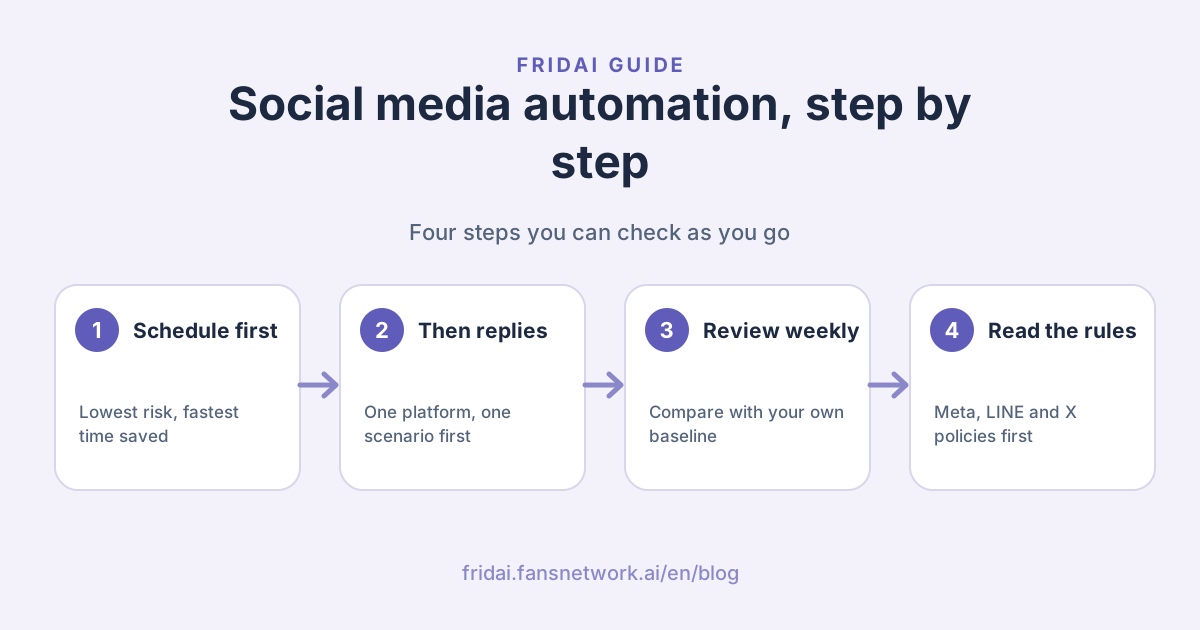
Start with post scheduling, which has the lowest risk and saves time fastest. Next, collect ten common questions for reply automation, and try it on one platform first. Results review comes last, but record your baseline numbers from the very beginning.
How much do social media automation tools cost?
Billing units differ by vendor: some count accounts, some count posts or AI replies, and you also add the platform's own fees, such as LINE message fees. Run the numbers with your own posting and conversation volume from the last three months, not with sample figures.
Does Instagram allow auto-replying to a comment with a DM?
Instagram officially provides private replies to comments, but the documentation states only one message can be sent, within 7 days of the comment, and the conversation can continue only after the person replies. Campaign design must also comply with Meta's spam policy.
Why did engagement get worse after I turned on automation?
There are three common causes: posting exactly the same content on every platform, replies so uniform they read as canned, and nobody reviewing results, so ineffective habits keep repeating. Go back and check content and rules first; do not rush to change tools.
Do AI replies need to tell customers they are talking to a bot?
Meta's policy states that disclosure is required where the law requires it, and recommended even where it does not; X requires bot accounts to be clearly labeled. We suggest saying so up front, and letting customers reach a person at any time.
How FRIDAI can help
FRIDAI splits these three jobs across three products: FRIDAI Post handles posting and scheduling, FRIDAI Social handles comment replies and comment-to-DM, and FRIDAI Chat handles DM customer service and human handoff. You do not need to switch on everything at once. Follow the three stages above and start with the part that hurts most.
- Post scheduling: FRIDAI Post
- Comment engagement: FRIDAI Social
- DM customer service: FRIDAI Chat
- Sync posting: IG, FB and Threads sync posting guide (in Chinese)
- Rules guide: How to write AI customer service rules
- Instagram: FRIDAI on Instagram
- Threads: FRIDAI on Threads
- Facebook: FRIDAI on Facebook
Official sources
- Meta: Messenger Platform Policy Overview: developers.facebook.com/
docs/ messenger-platform/ policy/ policy-overview/ - Meta: Instagram Private Replies: developers.facebook.com/
docs/ instagram-platform/ private-replies/ - Meta: Community Standards, Spam: transparency.meta.com/
policies/ community-standards/ spam/ - LINE Official Account guidelines: terms2.line.me/
official_account_guideline_tw - LINE Developers: Messaging API pricing: developers.line.biz/
en/ docs/ messaging-api/ pricing/ - X Developer Policy: docs.x.com/
developer-terms/ policy