
Comments are piling up, DMs go unanswered, and you are not sure whether Meta's built-in features or a paid tool should handle them. This guide starts with the free native features, then shows when paying makes sense and how to pick a tool.
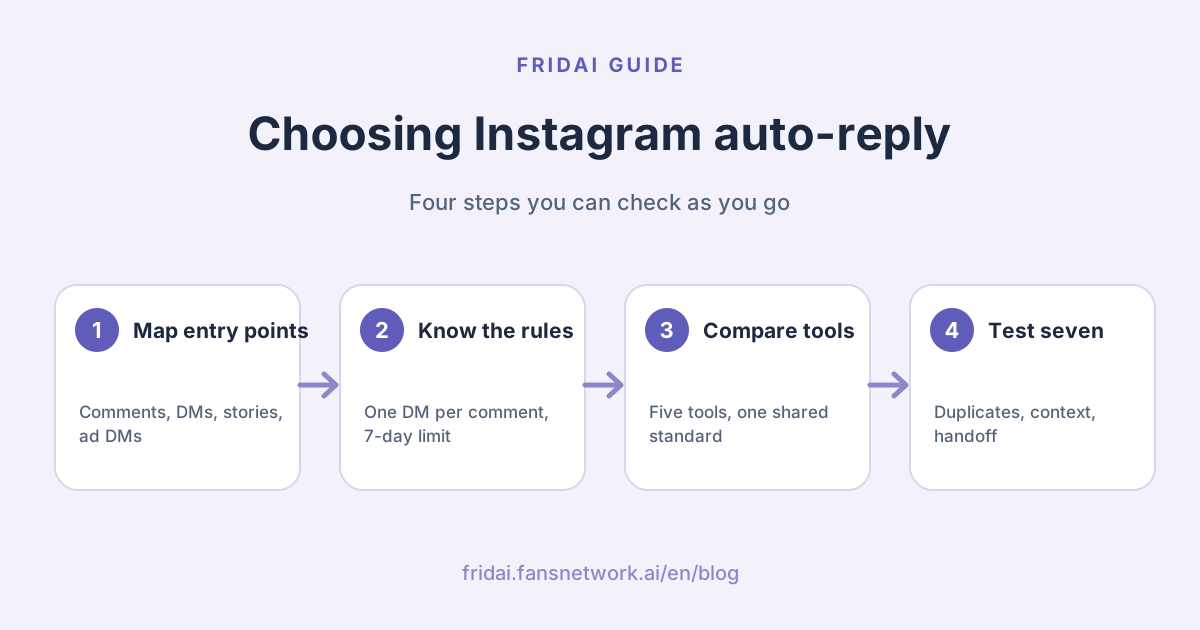
First, decide which kind of Instagram conversation you want to automate
| Entry point | Typical needs | Suitable automation |
|---|---|---|
| Post / Reels comments | Price questions, requests for info, campaign keywords | Public reply, comment-to-DM, avoiding duplicate sends |
| Instagram DMs | Inquiries, bookings, product recommendations, after-sales | AI knowledge, process rules, human handoff |
| Story replies | Campaign reactions, product questions, emoji replies | Telling event types apart, not treating an emoji as a price inquiry |
| Ad DMs | Source identification, lead collection, assignment | Keeping ad context, qualification, customer fields |
When you see "supports Instagram", your first step is to ask which of the boxes above it supports. Circle the boxes you actually use, then check them against each tool's feature page.
The auto-reply features Instagram already gives you
Many people do not know that Meta provides its own set of auto-replies, located in the Meta Business Suite inbox under the official name Inbox automations. They apply to linked Facebook Pages, Instagram business accounts and WhatsApp Business accounts, and the items you see depend on which channels you have linked, so follow what your own dashboard shows.
| Meta's name | What it does | Watch out for |
|---|---|---|
| Instant reply | Greets someone automatically the first time they message | Handles the first message only |
| Away message | Replies automatically when you are offline | Fixed content; it does not answer questions |
| Frequently asked questions | Shows suggested questions; a tap returns a fixed answer | The answers are hard-coded |
| Custom keywords | Replies when a message contains a set keyword | Can only be set up on desktop |
| Comment to message | DMs someone whose comment contains set words | Can only be set up on desktop |
There are also templates for replying with your location, contact details and business hours. In other interface languages, go by the names you see on screen.
Three official limits on keyword auto-replies
Meta's help page is direct: one custom keyword rule holds at most 5 keywords or phrases; matching must be exact and is case-sensitive; and a keyword can be used in only one rule. One more point is often missed: a keyword reply is sent 15 minutes after the message arrives, unless you have replied yourself first. If your campaign depends on an instant answer, you need to know about this design in advance.
Frequently asked questions inside the Instagram app
The Instagram Help Center describes a separate FAQ feature that lives in the chat: turn on "show questions" in the tools menu for messages, and you can add up to four questions, each with one automated response. Customers see those questions first when they open the chat.
Turning on Meta Business Agent pauses your old settings
The official page carries a one-line note: if you turn on Meta Business Agent, existing automations such as away messages and instant replies are paused. Do not count on both at once.
As for the often-mentioned "saved replies", they help a person paste common sentences quickly, which is not auto-reply.
Before you start, get three things ready on the account
Whether you use native features or a third-party tool, nothing you set up later will run if these three are not in place.
- The account must be a professional account. Meta's API documentation states that only business or creator accounts are supported, so a personal account has to be switched first.
- Allow tools to access messages. The Instagram Help Center says there is an Allow access to messages switch under Connected tools in message settings. While it is off, messages can only be sent and received inside the Instagram app, and neither Meta Business Suite nor third-party tools can see them.
- Link the Instagram account to Meta Business Suite. The native inbox automations are only available to linked accounts. Whether a third-party tool also needs a linked Facebook Page depends on which login method it uses, so follow the tool's integration page.
How native features and third-party tools differ
| Compared on | Meta's native features | Third-party tools |
|---|---|---|
| Cost | No extra charge | Monthly fee or usage-based |
| How it replies | Fixed text, exact keyword match | AI can understand different phrasings |
| Memory of context | None | Varies by product; test it |
| Comment-to-DM | Yes, set up on desktop | Most have it, with finer rules |
| Human handoff | You reply in the inbox yourself | Assignment, notes, notifications |
| Cross-platform | Meta's own channels | Can add LINE and other channels |
| Best for | Shops with fixed questions and modest volume | Varied phrasing, data collection or team collaboration |
FRIDAI Editorial's advice is simple: use these three signals to time your upgrade. The moment any one appears, it is time to bring in a third-party tool: the reply goes silent when a customer rephrases, the same person has to ask three times back and forth, and the human who takes over has no idea what was said earlier.
Comment auto-reply and comment-to-DM: Meta's rules
Whichever tool you use, as long as it goes through the official API it is bound by the same rules. No tool is clever enough to get around them, and the kind that can get around them is the kind to be careful with.
| Rule | What Meta's documentation says | What it means for you |
|---|---|---|
| DMs per comment | One comment can receive only one DM | Put the link and the key point in the first message |
| Sending window | Within 7 days of the comment being made | Sending to old comments fails |
| Live comments | Can only be sent while the broadcast is live | No catching up after the live ends |
| Non-followers | The DM goes to their message requests | State your purpose in the first line |
| Follow-up conversation | You can only continue after they reply | The first message should prompt a reply |
| Regular DMs | You can reply within 24 hours of their message | After that, no automated pushes |
| Human replies | The human agent tag extends this to 7 days | Manual replies only, not for bulk sends |
Meta's policy page says two more things. First, where the law requires it, an automated conversation must let the person know they are interacting with an automated service; even where it does not, Meta recommends disclosing it. Second, use message tags only for the approved use cases; using them elsewhere limits your ability to send messages.
One more rule affects campaign design: Meta's spam policy does not allow "requiring users to like, share or follow before they can get specific content". So comment-to-receive is fine, but do not write liking, following or sharing in as a condition.
Instagram auto-reply flowchart
How to choose between the five tools
| Tool | Better fit for | What to evaluate |
|---|---|---|
| FRIDAI | Brands running Instagram, Facebook and LINE together, with both comments and DMs to cover | Chat and Social are two plans; comment-to-DM needs both |
| SleekFlow | Social selling teams that need a shared inbox, customer data and payment links | How the team collaborates and the full cost |
| respond.io | High-volume conversations, ad inquiries, assignment and CRM integration | What the AI Agent can do, and capacity |
| Intercom Fin | Instagram as a supplementary entry point beside website / app support | How Instagram conversations merge into the existing support flow |
| Zendesk AI | Enterprise support teams already on a ticketing system | The official AI page does not list Instagram directly; confirm with sales |
What each official page says. SleekFlow's Instagram page states that you can reply instantly to post comments and story replies, share one account among several people, and generate payment links inside a conversation. respond.io's page lists auto-replies for Instagram DMs, comments and ad inquiries, an AI Agent for common questions, and a shared inbox. Intercom's help documentation lists Instagram as one of the channels Fin supports. FRIDAI Social's product page lists comment auto-reply, comment-to-DM, a human review mode and conditional notifications to a person; pricing is from US$70 a month each for Chat and Social, and one plan covers one platform account.
Pick in this order: write down which platforms you run, list the three ways customers most often phrase their questions, then decide whether you need context memory and human handoff. The row that matches all three is your first choice.
Reading the cost: free, monthly fee and the costs you cannot see
"Is there a free Instagram auto-reply?" is the question FRIDAI Editorial is asked most. The answer has three layers.
The first layer really is free: the inbox automations in Meta Business Suite. The price is that they only send fixed text, keywords must match exactly, and there is no memory of context.
The second layer is monthly-fee tools. Taking FRIDAI as the example, the public price on the website is three tiers of US$70, US$160 and US$300 a month each for Chat and Social, matching 500, 2,000 and 5,000 AI replies a month, with one plan per platform account; comment-to-DM requires both a Chat and a Social plan on the same account. There is also a US$1, 30-day, 100-reply trial. The other four tools each price by a different unit: some count contacts, some count seats, some need a quote, so compare them on each official pricing page.
The third layer is the cost you cannot see: the time spent setting up rules, the time spent each month updating price lists and campaigns, and the time a person spends cleaning up when the AI gets an answer wrong. This layer usually costs more than the monthly fee.
Total monthly cost = tool fee × number of plans you need
+ overage or add-on charges
+ hours for setup and monthly upkeep
+ hours for a human to fix wrong answersEstimate with your own comment and DM volume from the last three months, and run a separate version for peak season.
Starting moves for three kinds of shop
One person running the shop, same few questions
Start with Meta's native frequently asked questions, away message and instant reply. Write up the four questions you get most, watch for two weeks, and note which phrasings it fails to catch. That record will be useful whichever tool you move to later.
You often run comment-to-receive campaigns
If the campaign rules are simple, use the native Comment to message. If you need varied public replies, no repeat sends to the same person and automatic shut-off when the campaign ends, then look at third-party tools, and test scenarios one and two first during the trial.
You have customers on Instagram, Facebook and LINE
At this point the pain is usually not auto-reply itself. It is the same customer asking the same thing on different channels while your team has no idea who already answered. Compare cross-platform inboxes and human handoff first, not whose AI chats better. For the LINE side, see our LINE AI customer service tools guide.
Seven scenarios you must test during the trial
- The same customer comments twice on one post. Does the system send the DM twice?
- A customer replies to a story with a single emoji. Does the AI mistake it for a price inquiry?
- A customer arrives from an ad. Can your support team see the source post or campaign?
- A customer mentions a budget early in a DM and asks for a recommendation later. Does the AI carry the context forward?
- A product is out of stock. Does the AI offer a correct alternative?
- A customer asks for a discount or refund. Does the AI stop making promises and hand off to a person?
- Once a person takes over, does the AI stop replying automatically?
Do not mix keyword replies with AI replies
Campaigns like "comment +1 to get the menu" have clear conditions and a fixed answer, so keywords are the least effort. You really do not need to call an AI for everything. Bring the AI in once customers start asking natural questions like "Is this okay for sensitive skin?" or "Do you have a table for two next Wednesday?"
Once the two are separated, the AI cannot freely rewrite your campaign, and it no longer has to guess whether every single comment is a campaign entry. For how to write rules that do not fight each other, see how to write AI customer service rules.
When measuring results, look past reply counts
At a minimum, track these separately: comment handling success rate, DM open rate, AI correct-answer rate, human handoff rate, duplicate-send rate and unresolved conversations. If you want to talk about sales, you must be able to connect conversations to real orders or completed bookings. "We replied" is not a conversion.
Summary: split by entry point, then pick the tool

A quick note from FRIDAI
By now you've seen that Instagram auto-reply isn't one switch: comments, DMs, story replies and ad DMs each play by their own rules. Meta's native features cover fixed questions for free; when customers phrase things many ways, earlier context matters, or you need to collect details and hand off to a person, bring in a third-party tool.
Before you set anything up, run through this list:
- Confirm the account is professional, allows tool access to messages and is linked to Meta Business Suite.
- Comment-to-DM sends one DM per comment within 7 days, so put the link and key point in the first message.
- Give campaign keywords to fixed replies and natural questions to AI, as two separate flows.
- Run the seven trial scenarios, especially duplicate sends, context memory and human handoff.
- Measure handling rate, correct-answer rate and handoff rate, not just reply counts.
When you're ready to run comments and DMs in one flow, give me those seven scenarios for a trial run, and we'll tune whatever gets stuck.
FAQ
Can Instagram auto-reply get my account banned?
Auto-replies that use Meta's official API or official features are not a violation in themselves. The risk comes from unofficial tools that ask for your account password, large volumes of repetitive messages in a short time, and making likes or follows a condition for receiving something. Our article on auto-reply bans has the full explanation.
Is there a free Instagram auto-reply?
Yes. Instant reply, away message, frequently asked questions, keywords and comment-to-message in Meta Business Suite carry no extra charge. FRIDAI offers a US$1, 30-day trial you can run on your own account.
Why is my Instagram comment auto-reply not working?
The most common causes are that the account is not a professional account, tools have not been allowed to access messages, the keyword is not an exact match, or the comment is more than 7 days old. The row-by-row table is in our troubleshooting article.
Can a personal Instagram account use auto-reply?
No. Meta's API documentation states that an Instagram professional account is required, and either a business or a creator account works; the native inbox automations also require the account to be linked to Meta Business Suite. A personal account has to be switched first.
Will automated comment replies sound like a bot?
Fixed campaign replies are supposed to be short and consistent. For general comments, set the tone, repeat limits and sensitive scenarios, and keep a person able to step in. For negative reviews or complaints, always have a person read the reply before it goes out.
Can the AI complete a booking straight from a comment?
Yes, once the booking system returns a successful result. The AI says "your booking is confirmed" only after that result arrives; until then, it collects the request and tells the customer it is pending confirmation.
How FRIDAI can help
FRIDAI Social handles comment replies and comment-to-DM, and FRIDAI Chat picks up DM inquiries and the handoff to a person. Both run on Meta's official API. FRIDAI Editorial splits fixed keywords and general AI support into two separate flows. Stop making one AI guess what every customer wants, and everyone will have an easier time.
- Comment engagement: FRIDAI Social
- DM support: FRIDAI Chat
- Risk and troubleshooting: Can Instagram auto-reply get you banned? Plus troubleshooting
- When an account is in trouble: Instagram disabled or Facebook hacked: what to do
- Main comparison: 5 AI customer service platforms compared
- The LINE side: LINE AI customer service tools
- Instagram: FRIDAI on Instagram
- Threads: FRIDAI on Threads
- Facebook: FRIDAI on Facebook
Official sources
- Meta Business Suite inbox automations: www.facebook.com/
business/ help/ 395965998733706 - Meta Business Suite, setting up automations on desktop: www.facebook.com/
business/ help/ 318238182723007 - Instagram, setting up frequently asked questions in chat: help.instagram.com/
4153704678000867/ - Instagram, managing message access: help.instagram.com/
791161338412168 - Meta developer docs, Instagram Platform overview: developers.facebook.com/
docs/ instagram-platform/ overview - Meta developer docs, Private Replies: developers.facebook.com/
docs/ messenger-platform/ instagram/ features/ private-replies - Meta developer docs, Instagram Messaging API: developers.facebook.com/
docs/ instagram-platform/ instagram-api-with-instagram-login/ messaging-api - Meta Messenger Platform policy overview: developers.facebook.com/
docs/ messenger-platform/ policy/ policy-overview - Meta Community Standards, spam policy: transparency.meta.com/
policies/ community-standards/ spam/ - FRIDAI Social: fridai.fansnetwork.ai/
fridai-social - SleekFlow Instagram: sleekflow.io/
en-us/ channels/ instagram - respond.io Instagram: respond.io/
integrations/ instagram - Intercom Fin FAQ: www.intercom.com/
help/ en/ articles/ 7837535-fin-ai-agent-faqs - Zendesk AI: www.zendesk.tw/
service/ ai/