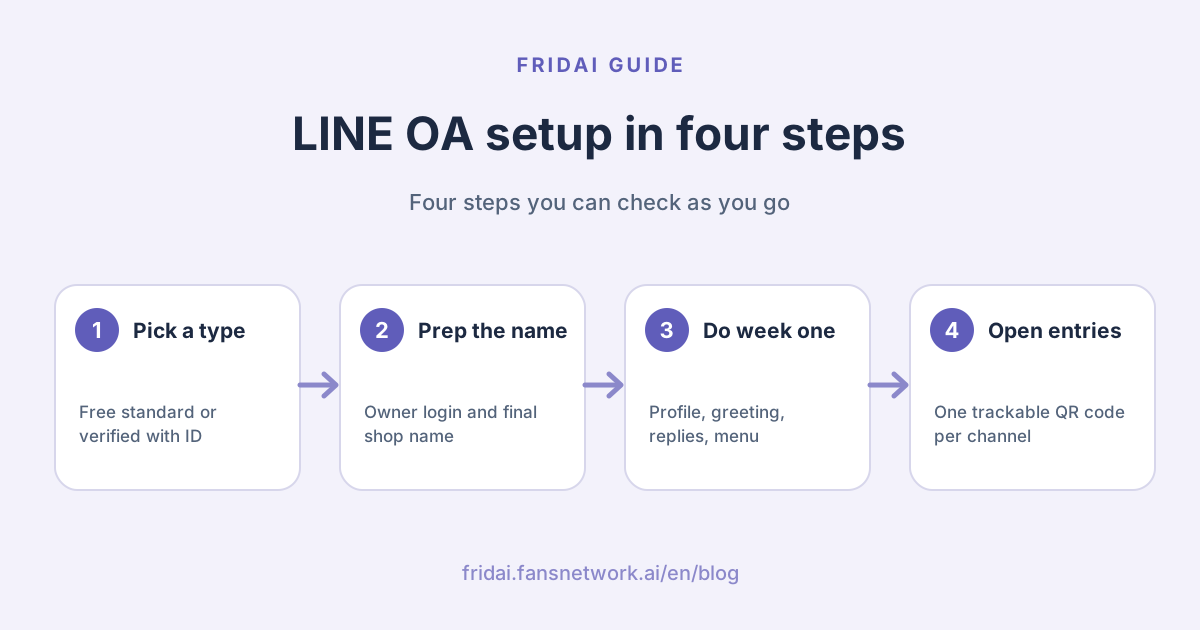
This is not a click-by-click tutorial. LINE's account manager screens get redesigned, so FRIDAI Editorial only covers what you need to prepare and decide, and links LINE's own step pages in each section. When you do the work, go by the screen in front of you.
The whole picture: from applying to collecting friends
Verification can be added later; it does not have to block step one. Most small shops go in this order: open a standard account, finish the first-week setup, start collecting friends, then come back and decide whether to apply for verification.
What are the three types of LINE Official Account?
LINE splits Official Accounts (LINE OA, the business side of the LINE messaging app) into the standard account (一般
| Type | How you get it | Badge | Who it suits |
|---|---|---|---|
| Standard account | Free to open for individuals or companies | No shield shown from April 1, 2026 | Shops starting out and testing the channel |
| Verified account | Buy a premium ID and pass document review | Verification badge shown | Registered businesses that want to be searchable |
| Enterprise account | By invitation from LINE, verification required first | Verification badge shown | Not something you apply for yourself |
A few things people often get wrong:
A verified account means the organisation is a business, shop or body established with government approval and has passed LINE's document review. It does not mean more features.
LINE's Help Center states that accounts that passed review can appear in search results inside the LINE app, and unverified accounts do not. So a standard account collects friends through QR codes, links and your own promotion.
From April 1, 2026, standard accounts no longer show what people used to call the grey shield; they show no shield at all. The badge on verified accounts has been updated to green and blue check-mark icons. LINE says this is only how verification status is displayed, and chat, push messages and day-to-day operations are unaffected. If your grey shield is gone, nothing has happened to your account.
What should you prepare before applying?
Opening a standard account
The entry point is "Create an account for free" (免費
Decide these before you apply:
| Decision | Why it matters | Our suggestion |
|---|---|---|
| Whose account opens it | The creator holds the highest permission | Use an account the owner or company controls long term |
| Account name | An unverified account cannot be renamed again within seven days of a change | Use the shop or brand name directly |
| Profile photo | Cannot be changed again within one hour of a change | Prepare a 640×640 logo image |
| Whether to verify later | The name cannot be changed once verified | Name it by the verification naming rules from the start |
"Whose account opens it" is the one FRIDAI Editorial most wants to flag. Plenty of shops had an employee open the account with a personal LINE years ago, and only discover after that person leaves that the owner is not an admin. Make the person in charge an admin and add everyone else through permission management. LINE also states that one LINE Business ID can create up to 100 accounts, so multiple brands or branches can be managed under the same login.
Applying for a verified account
If you want the badge and search exposure, there is more to prepare. The following comes from LINE's verification application guide; the review team's notice is what actually applies.
| Item | LINE's requirement | Note |
|---|---|---|
| Premium ID | Must be bought before you can submit | Buying it does not mean you pass |
| Account name | Matches the business, shop or brand name, up to 20 characters | No full-width characters, emoji or advertising slogans |
| Applicant proof | One of: proof of employment, business card or staff ID | Must be a file; cloud links are not accepted |
| Establishment documents | Company or business registration or other approval documents | Varies by industry; see LINE's reference table |
| Environment | Must apply on the desktop web version | The current flow does not support mobile |
Verification is only open to the industries LINE lists. The application form offers options such as schools, cram schools, lodging, medical institutions, and general companies and shops, and requires that the service is offered to the general public and already operating. The documents finally have to be uploaded to LINE's Official Account verification platform (OAV) for the application to count as complete; the result arrives by email and LINE.
A premium ID is "@" plus your own string, up to 18 characters. Once bought it cannot be changed; to change it you have to cancel and buy again. So settle on the name before you pay. The cost of a premium ID and of each plan is covered in LINE Official Account pricing 2026.
The first-week setup checklist
Opening the account only gets you the keys. Aim to finish the six items below in the first week. The order is the order in which customers meet them.
| Day | Setting to finish | Done when |
|---|---|---|
| Day 1 | Profile and account settings | A customer can tell at a glance who you are and when you are open |
| Day 2 | Welcome message on friend add | A new friend knows what they can do next |
| Day 3 | Response mode | Someone or something answers both in and out of business hours |
| Day 4 | Rich menu | The most-asked things have a fixed entry point |
| Day 5 | Members and permissions | Each person has only the access their job needs |
| Days 6 to 7 | Add-friend entry points | Store, website and social each have a trackable entry |
Day 1: Profile and account settings
Get the storefront right first. The account settings in LINE's manual include account name, status message, profile photo, cover photo and location. The profile page can hold buttons (up to 3), business information, and add-ons such as coupons and reward cards, and you can save a draft and publish once you are happy with it.
Prepare these: shop name, a one-line description, opening hours, address or service area, phone or booking method, and a logo image. LINE recommends a profile photo of 640×640 pixels, under 3MB, JPG or PNG. The status message cannot be changed again within one hour of saving, so think before you save.
What goes on the three buttons? Pick the three things customers do most, for example book, see the menu, call. Do not use three links that all lead to your homepage.
Day 2: Welcome message on friend add
The welcome message is sent automatically when someone adds you, and under LINE's rules it carries no message fee. LINE's manual says it can hold up to 5 messages at once but recommends 3 bubbles or fewer, and you can insert the friend's display name.
A welcome message that works answers only three things: who you are, what I can do here, and how to start. The template below is in Chinese because it is meant for your Taiwanese customers. In English it reads: "Hi {friend's display name}, this is {shop name}. Here you can book, check opening hours and ask about products. Just message us, or tap the menu below to start. Staffed hours: Tue to Sun 11:00–20:00; auto-reply picks up first at other times."
{好友的顯示名稱} 你好,這裡是{店名}。
在這個帳號可以:預約、查營業時間、問商品。
直接傳訊息給我們,或點下方選單開始。
客服時間:週二到週日 11:00–20:00,其他時間會由自動回覆先接。The last line matters. Say clearly when a human answers and when it is an auto-reply, and customers are less likely to get angry while they wait.
Day 3: Decide your response mode
This is the decision that needs the most thought in week one. LINE's response settings are under "Response settings" (回應
| Response mode | Who replies | Suits |
|---|---|---|
| Manual chat | A human, one on one | Low volume, questions that need judgment |
| Auto-reply messages | Fixed content by keyword | Fixed questions with answers that rarely change |
| AI chatbot (β) | Picks answers from the FAQs you set | Varied phrasing; requires the Advanced Chat plan (聊天 |
LINE says these can be combined and switched by business hours: you assign a response mode to "response hours" and another to "non-response hours", for example humans by day and auto-reply at night.
One 2026 change affects this decision: LINE says that from March 2026 the response status of unverified accounts is always shown in the chat room and can no longer be hidden. In other words, customers can see whether you are on auto-reply right now, so the setting had better match reality.
Auto-reply messages have two rules that are easy to trip over. LINE's manual states each auto-reply can have up to 5 bubbles, and an auto-reply with no keyword set is sent at random during its active period; keyword replies only take priority when a keyword matches. So if you only want keyword replies, set a keyword on every single one. For more on wording, see LINE auto-reply setup examples.
LINE's own AI chatbot (β) only works once you add the Advanced Chat plan, and LINE says industries such as medical, finance, religion, politics and public administration, and law may not be able to use it. How to choose between native features, third-party tools and building your own is laid out in full in three ways to do LINE AI customer service compared.
Day 4: Rich menu
The rich menu (圖文
What you decide first is which cells to include, not how pretty the image is. List the questions customers asked most in the past month; the top three to six are your cells. Choose the "text" action and pair it with a keyword auto-reply, and one tap gets the customer an answer. None of those replies use message quota. For layouts and design, see the LINE rich menu guide.
Day 5: Members and permissions
Do not share one login and password. LINE's permission management lets each person sign in with their own account, with four roles.
| Role | What they can do | Who it suits |
|---|---|---|
| Admin | Everything, including adding and removing members, payment and applying for verification | The owner and one deputy |
| Operator | Manage messages and posts, view analytics | The main social media manager |
| Operator (no messaging permission) | View analytics; cannot send messages or posts | Marketing analyst or outside consultant |
| Operator (no analytics permission) | Handle friends' messages; cannot see analytics | Part-time support staff |
LINE's manual notes that an invitation URL is valid for only 24 hours and can be used once, and each Official Account can add up to 100 members. LINE's tutorial also advises giving admin only to a few core colleagues and revoking access immediately when someone leaves or changes role. One addition from FRIDAI Editorial: have at least two admins, or the day your only admin flies abroad will be the day a payment fails.
Days 6 to 7: Add-friend entry points
An Official Account does not add people for you; friends come in through entry points. The methods LINE lists are a QR code, an add-friend URL, an add-friend button, and joining when someone claims a coupon or reward card.
The one worth ten minutes is "friend-add channels" (加入
This step is also about money: once you have audiences, you can replace full broadcasts with targeted messages, which directly affects your monthly message fee.
Common mistakes
| Mistake | What happens | How to avoid it |
|---|---|---|
| Opening with an employee's personal account | You cannot get the top permission back when they leave | Owner is the admin; staff join through permissions |
| Picking a name carelessly | Seven-day limit on renaming; no change after verification | Use the official shop name from the start |
| Auto-reply with no keyword | Replies show up at random | Set a keyword on every one and test it for real |
| Welcome message stuffed with promotions | New friends cannot see the next step | Keep only who you are, what they can do, how to start |
| Only one QR code | You do not know where friends come from | Create a separate friend-add channel per source |
| Broadcasting hard from day one | Quota runs out and friends block you | Lean on chat and the menu; keep broadcasts for what matters |
There is one quieter mistake: running the account manager's auto-reply and an outside system on the same question, so the customer may get two replies. Before you connect a third-party tool, list which auto-replies are already on in the account manager and decide which side owns which questions. Answering twice in a second does not make customers think you care more.
FAQ
Does it cost money to apply for a LINE Official Account?
No. LINE states that creating an Official Account is free, and you can create an unverified account and use the basic features at no charge. What costs money later is a paid promotion plan, a premium ID and the Advanced Chat plan.
Can an individual without a registered company apply?
You can open a standard account; LINE says both individuals and companies can apply for an unverified account. A verified account, however, requires documents showing government-approved establishment and is limited to specific industries.
My standard account has no shield. Was it penalised?
No. From April 1, 2026, LINE stopped showing the grey shield on standard accounts. LINE says this is only how verification status is displayed, and chat, push messages and the way you already operate are not restricted.
Why can customers not find my account in LINE search?
LINE's Help Center states that unverified accounts do not appear in search results inside the LINE app. Guide customers in with a QR code or add-friend URL instead, or consider applying for a verified account.
Do I have to buy a premium ID to apply for verification?
Yes. LINE states the first requirement for a verified account is buying a premium ID, and you cannot submit without one. But buying a premium ID does not guarantee approval; the naming rules and document review still apply.
Why does my keyword auto-reply not respond?
Check three things first: whether auto-reply messages are enabled in the response settings, whether that message is active and within its sending period, and whether what the customer typed matches the keyword. LINE says keywords ignore upper and lower case and full-width versus half-width.
Can several people reply to customer messages together?
Yes. Invite members through permission management, and each signs in with their own account. LINE says each Official Account can add up to 100 members, and an invitation URL is valid for 24 hours and can be used once.
How FRIDAI can help
Once the first-week setup is done, you will find the part that eats the most time is that customers ask the same thing in a thousand different ways. FRIDAI Chat connects to your LINE Official Account and answers private messages from your knowledge base and rules, notifying a human when something needs judgment. Get the native settings such as the welcome message and rich menu solid first, then decide which part of the conversation to hand to AI.
- Product: FRIDAI Chat
- FRIDAI Social: FRIDAI Social
- Cost estimate: LINE Official Account pricing 2026: monthly fees and message costs
- Tool comparison: LINE AI customer service tools: 5 options compared
- Instagram: FRIDAI on Instagram
- Threads: FRIDAI on Threads
- Facebook: FRIDAI on Facebook
Official sources
- LINE Official Account product overview: tw.linebiz.com/
service/ account-solutions/ line-official-account/ - How to create a new LINE Official Account: help2.line.me/
official_account_tw/ web/ pc?contentId=20013137&lang=zh-Hant - What types of account are there: help2.line.me/
official_account_tw/ web/ ?contentId=20011775&lang=zh-Hant - How standard, verified and enterprise accounts differ: tw.linebiz.com/
faq/ oa-basic/ 59/ - Official Account verification badge update: tw.linebiz.com/
column/ 2026-OA-rebranding/ - Verified Official Account application process: tw.linebiz.com/
column/ line-lac-id-0418/ - Is a premium ID required to apply for a verified account: tw.linebiz.com/
faq/ oa-operation/ 13/ - How to buy a premium ID for an Official Account: tw.linebiz.com/
faq/ oa-price/ 27/ - Basic account settings manual: tw.linebiz.com/
manual/ line-official-account/ oa-manager/ - Welcome message setup tutorial: tw.linebiz.com/
manual/ line-official-account/ 20200514welcomemessage/ - Auto-reply messages manual: tw.linebiz.com/
manual/ line-official-account/ oa-manager-autoreply/ - LINE Help Center, chat features: help2.line.me/
official_account_tw/ ios/ categoryId/ 20006393/ 3/ pc?lang=zh-Hant - LINE Help Center, AI chatbot: help2.line.me/
official_account_tw/ web/ categoryId/ 200000670/ 3/ pc?lang=zh-Hant - Rich menu manual: tw.linebiz.com/
manual/ line-official-account/ oa-manager-richmenu/ - Permission management setup tutorial: tw.linebiz.com/
manual/ line-official-account/ 20200515elearningadmin/ - Permission management overview: tw.linebiz.com/
e-learning/ authority-management/ - Add-friend manual: tw.linebiz.com/
manual/ line-official-account/ oa-manager-addfriend/ - FRIDAI Chat: fridai.fansnetwork.ai/
fridai-chat