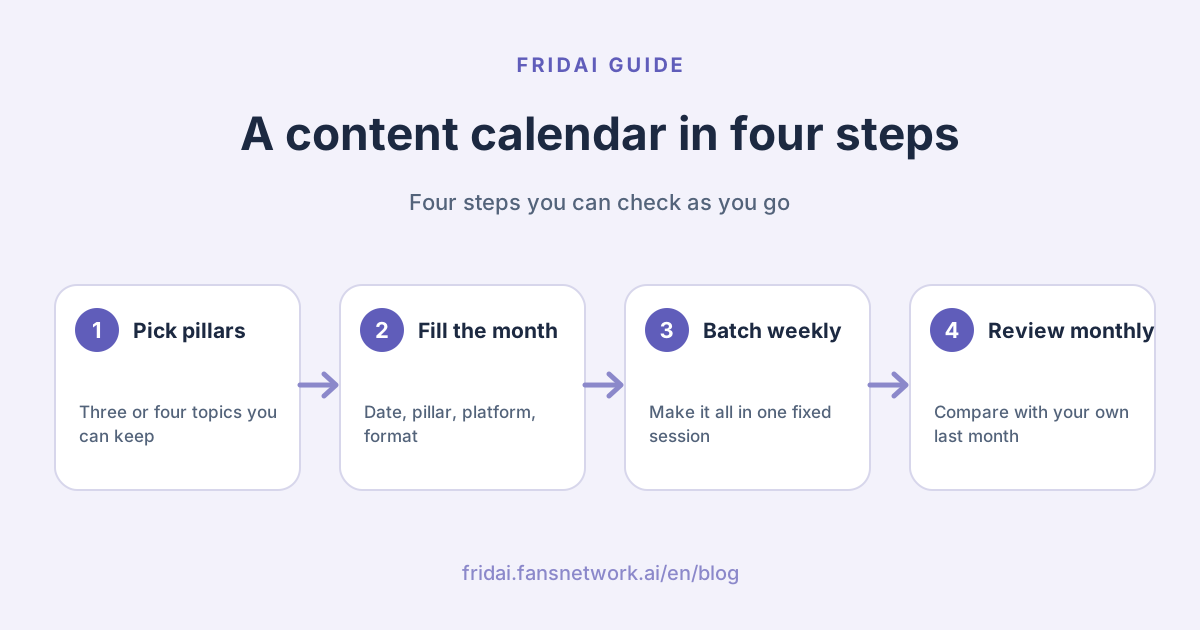
Why a small shop needs a content calendar too
In a shop of one to three people, social media is usually "post when there is time". The result: silence in busy season, three posts in one day in slow season, and remembering the holiday graphic on the day itself. A content calendar does not solve a creativity problem. It solves "what do we post today", a question you otherwise answer from scratch every day.
It needs no special software. One spreadsheet, planned once a month and glanced at once a week, already beats most "post by willpower" approaches. Our view: the fewer columns the sheet has, the better your chances of still using it in three months.
Step one: choose three or four content pillars
Content pillars are the few kinds of topic you will always talk about. With them, planning a month of posts changes from "think of thirty topics" to "think of a few per pillar". Common combinations for small shops are below. Pick three or four; beyond four is usually more than a small team can keep up.
| Content pillar | What it covers | Examples |
|---|---|---|
| Know-how | Things you know and customers do not | How to choose, how to store, common myths |
| Products and services | What you sell and how to buy | New items, booking slots, price updates |
| People and behind the scenes | Who makes it and how | The process, delivery day, what the owner insists on |
| Customers and interaction | How customers use it and what they say | Feedback shared with consent, Q&A, polls |
How to decide whether a pillar stays
Ask three questions. First, can you write on this for three months without running dry? Second, do customers really ask about it? A look through your DMs and comments will tell you. Third, does it relate to your business? A fun topic unrelated to the shop is fine now and then, but it is not a pillar.
Do not over-engineer the mix
Start with the simplest split: every pillar appears at least once a week, and the remaining slots go to the month's most important thing, such as a new product or a campaign. After a month, look at your insights and decide which pillar gets more. Fill every slot first; polish the ratio later.
Matching content type, goal and platform
One pillar can take different formats. The table below is our suggested pairing, meant to help you decide what each slot should become. For how each platform really performs, go by your own account's numbers.
| Content type | Main goal | Suggested platforms |
|---|---|---|
| Short video | Reach people who do not follow you | Instagram Reels first, synced to Facebook |
| Carousel or multi-image | Teaching, round-ups, saves | Instagram first; Facebook can mirror it |
| Single image with caption | Announcements, new items, campaigns | Both Instagram and Facebook |
| Text-only short post | Chatting, asking questions, opinions | Threads first |
| Stories | Today's status, countdowns, resharing posts | Instagram and Facebook |
| Link post | Sending people to a site, order page or article | Facebook first; Threads works too |
You do not need three separate posts for three platforms. A common approach is one core piece, with the first line and length adjusted per platform; the setup is in the IG, FB and Threads sync posting guide (in Chinese). Writing video scripts is covered in the short-video script guide (in Chinese).
LINE VOOM, the feed inside the LINE messaging app, is not in this table. We could not confirm its current service status in Taiwan from an official LINE page today, so we do not list it as a suggested platform. If you run a LINE Official Account, go by LINE's own announcements.
Monthly content calendar template
Below is a one-month template with comma-separated columns. Copy the whole block into Google Sheets or Excel and use the split-text-to-columns function with a comma as the separator; menu names vary by spreadsheet. The template uses four posts a week as an example. That is a hypothetical rhythm for illustration, not a recommended frequency.
Week,Date,Day,Content pillar,Platform,Format,Key point,Asset status,Owner,Publish status
Week 1,,Tue,Know-how,IG+FB,Carousel,,Not started,,Not scheduled
Week 1,,Thu,Products and services,IG+FB,Single image,,Not started,,Not scheduled
Week 1,,Fri,People and behind the scenes,Threads,Text only,,Not started,,Not scheduled
Week 1,,Sun,Customers and interaction,IG,Story,,Not started,,Not scheduled
Week 2,,Tue,Know-how,IG+FB,Short video,,Not started,,Not scheduled
Week 2,,Thu,Products and services,IG+FB,Single image,,Not started,,Not scheduled
Week 2,,Fri,People and behind the scenes,Threads,Text only,,Not started,,Not scheduled
Week 2,,Sun,Held for timely topics or campaigns,,,,,,
Week 3,,Tue,Know-how,IG+FB,Carousel,,Not started,,Not scheduled
Week 3,,Thu,Products and services,IG+FB,Single image,,Not started,,Not scheduled
Week 3,,Fri,Customers and interaction,Threads,Text only,,Not started,,Not scheduled
Week 3,,Sun,People and behind the scenes,IG,Story,,Not started,,Not scheduled
Week 4,,Tue,Know-how,IG+FB,Short video,,Not started,,Not scheduled
Week 4,,Thu,Products and services,IG+FB,Single image,,Not started,,Not scheduled
Week 4,,Fri,Next month preview,IG+FB+Threads,Single image,,Not started,,Not scheduled
Week 4,,Sun,Held for timely topics or campaigns,,,,,,How to fill in each column
The date is blank on purpose. Fill it in every month so you never carry over last month's weekdays. "Key point" is one sentence only, for example "show customers how to tell two kinds of butter apart"; if you cannot write one sentence, the topic is not ready. For "Asset status" use just three words: not started, in progress, done. For "Publish status" also three: not scheduled, scheduled, published. The fewer the options, the less likely anyone skips updating them.
A one-person shop can cut further
If the whole shop is you, delete the owner column and drop to two or three posts a week. The calendar exists to keep you from going silent, not to make you feel guilty.
Weekly posting schedule template
The monthly calendar decides what to post. The weekly posting schedule tracks who finishes what on which day this week. Ten minutes every Monday is enough.
Item,Mon,Tue,Wed,Thu,Fri,Sat,Sun
Posts going out,,Know-how carousel,,New item image,Threads short post,,Story
Assets to prepare,Shoot new item,,Record one short video,,,Collect customer feedback,
Copy progress,Write this week's four,Proofread,,Proofread,,,
Scheduling check,Schedule Tue and Thu,,,Schedule Fri and Sun,,,
Comments and DMs,Reply,Reply,Reply,Reply,Reply,Reply,Reply
Timely topic this week,,,,,,,
Weekend check,,,,,,,See which post did bestThe "Comments and DMs" row is there every day as a reminder that posting is half the job; the other half is being there when someone responds. For questions you get often, prepare standard wording in advance. Templates are in the customer service message templates index.
Taiwan's common seasonal hooks by month
The table lists only widely known holidays and shopping seasons in Taiwan, as a reminder of roughly what each month holds. Lunar-calendar holidays fall on different dates each year, and which days are public holidays depends on that year's announcement. Check the government office calendar that Taiwan's Directorate-General of Personnel Administration (行政院
| Month | Common holidays and seasons | Planning note |
|---|---|---|
| January | New Year's Day, year-end company banquets (尾牙), Lunar New Year shopping | Lunar New Year falls in January or February; check first |
| February | Lunar New Year and return to work, Valentine's Day, Lantern Festival, Peace Memorial Day | Post holiday opening hours early |
| March | Women's Day, White Day, change of season | Good for care and seasonal know-how |
| April | Children's Day, Tomb Sweeping Day, spring outings | Long-weekend trips and closure notices |
| May | Labour Day, Mother's Day | Mother's Day campaigns usually need a lead-in |
| June | Dragon Boat Festival, graduation season, mid-year sales | Dragon Boat is a lunar holiday; the date changes yearly |
| July | Start of summer holidays, summer campaigns | Family, cooling-off and travel topics |
| August | Father's Day in Taiwan, Qixi (七夕), Ghost Festival (中元), back to school | Qixi and Ghost Festival both follow the lunar calendar |
| September | Back to school, Teachers' Day, Mid-Autumn Festival | Mid-Autumn is a lunar holiday; look up the date |
| October | National Day long weekend, Halloween, department store anniversary sales | Start preparing year-end campaign assets |
| November | Double 11, Black Friday | Finalise promotion terms before writing posts |
| December | Double 12, Winter Solstice, Christmas, New Year's Eve | Also plan next month's New Year notices |
You do not have to follow every hook
Pick one or two a month that matter most to your business. A pet shop forcing a Teachers' Day post just confuses customers. The only test: at this point in the year, will your customers really buy more or ask more because of it?
Plan campaign posts backwards
Mark the campaign day on the calendar first, then place three slots before it: teaser, main announcement and last reminder. Reserve those three, then fill the gaps with posts from your other pillars. For promotions with prices and conditions, finalise the terms first. If you use AI to draft the copy, the AI social media post generator guide has a pre-publish checklist.
Batching: make a week at a time
Making and posting on the same day, every day, is the surest way to go silent. Batching means doing the same kind of work in one sitting.
| When | What to do | Output |
|---|---|---|
| One hour at month end | Fill next month's calendar, mark campaigns | A sheet with topics filled in |
| A fixed half day each week | Shoot photos, record video, write copy | All of next week's assets and copy |
| End of that same day | Load everything into your scheduler | Next week's posts scheduled |
| Ten minutes a day | Reply to comments and DMs, add Stories | No interaction missed that day |
The durations in the table are hypothetical; adjust them to your situation. The point is to separate writing from publishing: write with full attention, and leave publishing to the scheduler. If you only run Facebook and Instagram, Meta Business Suite can create or schedule posts, and Meta's help centre has a page devoted to its Planner. To schedule Threads or other platforms as well, see Social media scheduling tools 2026 and the Threads scheduling guide 2026.
Leaving room for timely posts
An over-full calendar has one problem: when something does happen, there is nowhere to put it. The template holds one slot every two weeks "for timely topics or campaigns" for exactly this reason.
Do not delete the post that got swapped out; move it to the next held slot. If a held slot is still empty on the day, use it to revisit a topic that did well before, rewritten from a new angle instead of reposted word for word. One more reminder: when a disaster or accident dominates the news, check whether your scheduled posts would look out of place, and pause them if needed. A scheduler is obedient, but it does not read the news.
Review once a month with platform insights
Spend half an hour at month end with the calendar and the real numbers. The Meta Business Suite product page says it provides insights reports, and Meta's help centre has a page introducing them; each platform's app also has its own performance view. We give no "you should be getting this much" figures, because every account differs in size and audience. The only meaningful comparison is your own previous month.
| Review question | What to look at | What to change next month |
|---|---|---|
| Which pillar got the most response | Interaction and reach per pillar | Give it one more slot |
| Which format costs the most effort | Production time against response | Cut what is heavy and gets little response |
| Which slots never went out | Unpublished rows in the calendar | Find why: too hard or too many |
| What customers asked | This month's DMs and comments | Turn them into next month's know-how topics |
The third row matters most. Unpublished slots are not for self-blame; they tell you whether the rhythm is right. If the same kind of post fails to get made two months running, take it off the calendar.
How often should you post?
The official part first. Meta's explanation of Facebook Feed ranking, as we read it, recommends no number of posts per day or week. It only says ranking aims for variety, so people are less likely to see several posts in a row from the same Page or group. Meta's spam policy prohibits posting at very high frequencies, and accounts posting less often can still be restricted when other spam indicators, such as repetitive content, are present. In other words, Meta publishes no official "best posting frequency", and the fixed numbers passed around online are not official figures. A fuller write-up is in Facebook algorithm 2026.
So how do you set a posting frequency? Three suggestions from us. First, start at the lowest rhythm at which you can keep quality up, hold it for three months, then add. Second, three posts every week beats ten this week and none the next. Third, before raising the frequency, check your insights to confirm that the extra posts are being seen.
FAQ
Is there a content calendar template to download?
There is no download file with this article; the templates are in the article itself. Copy the monthly and weekly template text into a spreadsheet and split it into columns by comma, and you have a posting schedule you can fill in directly and adapt to your own shop.
How many posts a week is enough?
There is no official answer. The Meta documentation we read recommends no number and publishes no best posting frequency. The practical approach is to set a rhythm you can sustain with good quality, for example two to four posts a week, then adjust with your insights after a full month.
How many content pillars should I choose?
Three or four are the easiest to sustain. With too few, content repeats; beyond four, a shop of one to three people usually cannot keep up. Run three for a month, confirm each one produces posts, then consider a fourth.
The calendar is planned but posts keep not going out. What now?
Usually the calendar is too full or the formats are too demanding. Drop the rhythm one level, halve the most time-consuming format, and switch to one fixed batching session a week. Remove any type you could not produce two months in a row.
Can I schedule the whole month in advance?
Yes, but leave open slots and check every week. Prices, campaigns and stock can change mid-month, and when a major event happens you need to look again at what is scheduled. Scheduling saves the time of pressing publish, not the responsibility to check.
How far ahead should holiday posts be prepared?
There is no fixed number of days; it depends on how early your customers start deciding. Items that need pre-ordering need a longer lead-in than items bought on the day. Work backwards from the day with a teaser, a main announcement and a last reminder, and check that year's official calendar first.
How FRIDAI can help
Once the calendar is planned, what remains is filling the slots every week and publishing on time. Every FRIDAI Post plan includes a content calendar and scheduling, and can hand fixed post series to AI to write the copy, make the images and publish to seven platforms on schedule. If you want to write everything yourself and only schedule, FRIDAI Post Lite has no AI writing. The content still needs your regular review.
- Content scheduling: FRIDAI Post
- Write it yourself, schedule only: FRIDAI Post Lite
- Writing posts with AI: AI social media post generator guide
- Scheduling tools compared: Social media scheduling tools 2026
- Threads scheduling: Threads scheduling guide 2026
- How reach works: Facebook algorithm 2026
- Instagram: FRIDAI on Instagram
- Threads: FRIDAI on Threads
- Facebook: FRIDAI on Facebook
Official sources
- Directorate-General of Personnel Administration, Executive Yuan: government office calendars: www.dgpa.gov.tw/
informationlist?uid=30 - Meta Transparency Center: our approach to Facebook Feed ranking: transparency.meta.com/
features/ ranking-and-content/ - Meta Community Standards: spam: transparency.meta.com/
policies/ community-standards/ spam/ - Meta Business Suite product page: www.facebook.com/
business/ tools/ meta-business-suite - Meta Business Help Center: use Planner in Meta Business Suite on desktop: www.facebook.com/
business/ help/ 1678733516458988 - Meta Business Help Center: about Insights in Meta Business Suite on desktop: www.facebook.com/
business/ help/ 917147395728365 - FRIDAI Post: fridai.fansnetwork.ai/
fridai-post - FRIDAI Post Lite: fridai.fansnetwork.ai/
post-lite