Full disclosure: FRIDAI Post offers Threads scheduling and AI auto-posting, and is one of the approaches compared below. Threads features and limits are taken from official Meta pages only, and where FRIDAI Editorial found no official statement we say so directly.
What Threads itself offers: scheduling, drafts and cross-posting
Start with what Meta's official pages say today. This section covers only what we could find; anything not written here is something we did not find.
| Feature | What Meta says | What to watch |
|---|---|---|
| In-app scheduling | Three-dot menu in the composer, Schedule, pick date and time | Scheduled posts sit in drafts; edit or delete there |
| Drafts | A new post can be saved as a draft to post later | Drafts open only where they were saved |
| Cross-post from Business Suite | FB and IG posts can be cross-posted to Threads | Desktop only; Threads must be in the portfolio |
| Share from IG to Threads | Option to share when posting on Instagram | Meta notes it is not available on computer |
| Threads API | Third-party tools publish through the API | Daily post counts and format limits apply |
Built-in scheduling
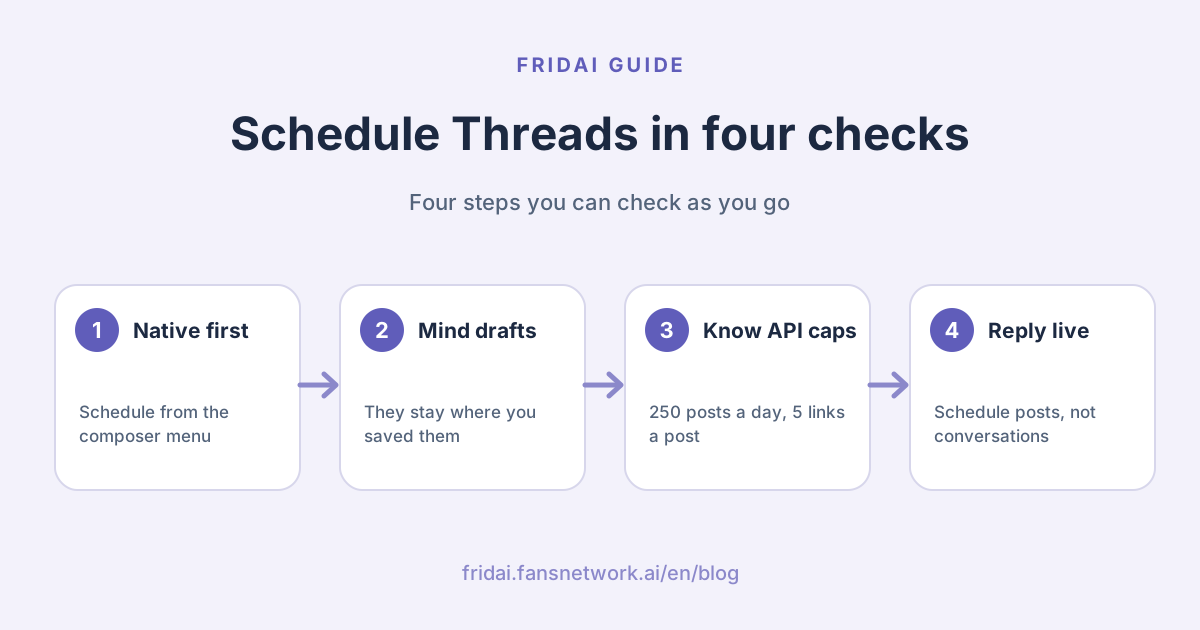
The official Threads account announced scheduling in a post on 24 January 2025. You tap the three-dot menu in the composer, choose Schedule, pick a date and time, then tap Schedule again. The scheduled post appears in your drafts, where you can edit or delete it.
Two things we have to be straight about. First, the announcement does not say how far ahead you can schedule, or whether replies can be scheduled. We could not find an official Meta source for the number of days that circulates online, so we do not give one; go by the options you see in your app. Second, in Meta's help centre today we could find the Threads articles on posting and on drafts, but no help article dedicated to scheduling, so the on-screen location may differ from the time of the announcement.
Drafts
The official help is clear: once you start a new post you can save it as a draft and come back to post it later. But one sentence is easy to miss: drafts can currently only be accessed from where they were saved. A draft saved on threads.com opens only on threads.com, and a draft saved in the app opens only in the app.
That means the intuitive workflow of typing a draft on a computer and posting it from your phone on the commute does not work. Teams that collaborate across devices should keep drafts in a shared document or a scheduling tool, not in the Threads drafts folder.
Cross-posting from Meta Business Suite
Meta's official help lists Threads as a cross-posting destination: both Facebook posts and Instagram posts can be cross-posted to Threads, and the option appears in the content creation flow. There are three conditions: you need permission to create content, the Threads profile must be added to the same business portfolio, and cross-posting to Threads is currently available on desktop only.
The Business Suite post creation flow has its own scheduling option, where you pick a date and time and get suggestions based on when followers are active. However, the official help does not state word for word that a post cross-posted to Threads can be scheduled along with it, and the platform filter in the Planner calendar lists only Facebook and Instagram. We suggest creating a real post, ticking Threads and checking whether the scheduling option is still available before you make this your main method.
Three routes compared: built-in, third-party, AI auto-posting
| Approach | Best for | Main limits | Cost |
|---|---|---|---|
| Threads built-in scheduling | Threads only, one person posting | Scheduling window not stated; drafts stay on one device | No extra charge |
| Meta Business Suite | Posting to FB, IG and Threads | Desktop only; Meta platforms only | No paid plan listed |
| Third-party scheduling tool | Also posting to X, LinkedIn, TikTok | Bound by the API; pricing varies | Free plans up to per-account or per-user pricing |
| AI auto-posting | No time to write; fixed rhythm needed | Setup up front; regular content checks | FRIDAI Post from US$70/ |
Our comparison of third-party tools is in social media scheduling tools 2026; the official pages of Buffer, Later, Metricool and Hootsuite all state Threads support. One idea to add here: these tools all publish through the Threads API, so what they can and cannot do is in the end bound by the same set of API rules.
AI auto-posting and scheduling are two different things. Scheduling means you write and the tool publishes on time; AI auto-posting means you set up the series and tone, and the AI writes and then publishes. FRIDAI Post is the second kind. FRIDAI Post Lite, which has no AI writing, is the first kind, and its product page lists settings for Threads follow-up posts and polls. If you already publish to Threads with FRIDAI Post, see also the Threads auto-posting performance guide (in Chinese).
Which route should you take?
The order in this chart is deliberate: if a free official feature solves it, do not pay first. Move down only when the platforms multiply, the accounts multiply, or nobody has time to write at all.
Threads API publishing limits
Whichever third-party tool you use, these are the limits written in Meta's developer documentation. You do not need to understand the API; you only need to know where the tool's ceiling is.
| Item | Official limit | What it means for you |
|---|---|---|
| Posts | 250 per account in 24 hours | A carousel counts as one; normal use never hits it |
| Replies | 1,000 per account in 24 hours | Counted when you reply to comments via a tool |
| Text length | 500 characters per post | Long copy must be split into a thread |
| Carousel | 2 to 20 images or videos | A single image cannot use carousel format |
| Links | Up to 5 per post | More than that and the post fails |
| Images | JPEG or PNG, up to 8 MB each | Compress large images first |
| Video | MP4 or MOV, up to 5 minutes and 1 GB | Trim long videos |
Some additions:
- The developer documentation does not describe a "schedule" parameter for publishing. It says only that apps offering scheduling must also enforce the publishing limits themselves, because the limit is counted when the post is actually published. In other words, a third-party tool holds your post for you and sends it when the time comes.
- When text exceeds 500 characters, tools usually split it into a thread or block it outright; each does it differently. When FRIDAI syncs to Threads, copy longer than 500 characters is split into a thread automatically.
- The documentation says link preview cards apply only to text-only posts; unless specified otherwise, the first link in a text-only post becomes the preview card.
Changes to watch in 2026
- Threads access can be managed on its own. The official Meta Business Suite help states that from September 2026 you can manage Threads access settings separately from Instagram. The change is rolling out gradually, so you may not see it on your account yet. For brands that outsource social media to an agency, this means you can grant access to Threads alone without handing over Instagram as well.
- More than 5 links makes a post fail. The developer changelog states that from 22 December 2025, a post published through the API with more than 5 links fails outright.
- You can use the API without Instagram. The changelog shows that from September 2025, Threads accounts not linked to Instagram can also use the Threads API.
- In 2026 the API added features such as reply approvals and sharing to Instagram Stories. Whether a tool has caught up depends on each vendor's updates.
A one-week content rhythm template
The hardest part of scheduling is not pressing the schedule button; it is deciding what to schedule this week. Copy the template below and replace the text in brackets with your own. It is a starting point, not a formula: after two weeks, adjust it to your own account's results. It is in Chinese because it is meant for a Taiwan-based team; in English it covers: your account positioning in one sentence and this week's theme; Monday an opinion post ending with a question, Tuesday a practical answer to a common customer question, Wednesday a behind-the-scenes photo with two or three lines, Thursday an either-or question or poll where you reply to every comment, Friday a product post with the link in the post or the first reply, Saturday a light post that sells nothing, Sunday rest or a recap of the week's most-replied post; scheduling rules (one or two posts a day in two fixed slots, a weekly cap on posts with links, fifteen minutes a day for replies that is never scheduled, pause all scheduled posts when major news breaks); and a weekly check of which post got the most replies and which got none.
【Threads 一週節奏範本】

帳號定位:(一句話:我是誰、幫誰解決什麼)
本週主題:(例如:秋季新品、常見問題、幕後)

週一|觀點文:對本行一件事的看法,結尾丟一個問題
週二|實用文:一個客人常問的問題與你的答案
週三|幕後文:一張現場照片加兩三句說明
週四|互動文:二選一或投票,回覆每一則留言
週五|產品文:本週主打,連結放在貼文或第一則回覆
週六|輕鬆文:店裡的小事,不賣東西
週日|休息或回顧:整理本週最多回覆的一篇

排程規則:
- 每天一到兩篇,固定兩個時段
- 帶連結的貼文一週不超過( )篇
- 每天留十五分鐘回留言,這一段不排程
- 遇到重大時事,先暫停所有排程再判斷

每週檢查:
- 哪一篇回覆最多?下週多寫一篇同類型
- 哪一篇沒人理?換角度或換時段再試一次
The most important line in the template is the one saying replies are not scheduled. Threads is a conversational platform: posts can be booked in advance, conversations cannot.
Common pitfalls: links, images and cross-posting from Instagram
Links
When publishing through the API, a post can carry at most 5 links. Go over and the post fails; the extra links are not quietly removed. Also, preview cards appear only on text-only posts, so a link in an image post does not turn into a card. For a post meant to drive traffic, decide first whether you want the image or the preview card. You cannot have both.
Images and video
The specifications listed in the API documentation are JPEG or PNG images up to 8 MB each, video up to 5 minutes and 1 GB, and carousels of 2 to 20 items. Assets brought over from Instagram are usually fine, but preview very tall images with extreme aspect ratios in your tool first.
Cross-posting from Instagram
Sharing straight from Instagram to Threads is the least effort, but Meta notes the feature exists only in the mobile app, not on computer. The more practical problem is the content. Instagram captions often carry a long string of hashtags and "link in bio", which reads oddly when moved to Threads unchanged. The Threads API documentation also states that a post supports only one topic tag. Before cross-posting, change at least three things: the opening line, the hashtags and the call to action.
If you want Instagram as your main account with Facebook and Threads following automatically, see the IG, FB and Threads sync posting guide (in Chinese). The rules on X are very different from Threads; see the X multi-account auto-posting setup guide.
Drafts and scheduled posts mixed together
Posts scheduled with the built-in feature sit in drafts, and drafts open only on the device where they were saved. When several people share one account, "I thought you had scheduled it" happens easily. Assign one person and one device to scheduling, or switch to a tool with a shared calendar.
When automation crosses the line
Scheduling is a feature Meta provides itself; it is not a violation. What causes trouble is how you use it. The Spam policy in Meta's Community Standards says the following are not allowed, and specifically notes "either manually or automatically":
- Posting, sharing or engaging at very high frequencies. The policy also says that accounts acting at lower frequencies may be restricted too if other signs of spam, such as repeated content, appear alongside.
- Sharing deceptive or misleading links, for example where what the link promises is clearly different from what opens.
- Requiring or claiming that people must engage first before they can get certain content.
Mapped onto Threads scheduling, the risks usually look like this:
| Practice | Risk | Better approach |
|---|---|---|
| Reposting the same text every day | Repeated content is a spam signal | Rewrite the topic from a new angle |
| Scheduling dozens of posts a day | High-frequency posting | One or two fixed slots |
| Identical content on several accounts | Repeated content plus inauthentic signals | Give each account its own angle and wording |
| Headline does not match the link | Misleading link | Deliver what the link says |
| Schedule and never look, even during news | Not a violation, but hurts the brand | Pause scheduled posts during major events |
The API's 250 posts a day is a technical ceiling, not a recommendation. A frequency far below the ceiling can still be restricted because the content repeats. Our principle is simple: if you would not dare post this way by hand, do not let a tool do it for you. The fuller set of rules is in our social media automation guide.
FAQ
Can you schedule posts on Threads?
Yes. The official Threads account announced built-in scheduling in January 2025: choose Schedule from the three-dot menu in the composer. You can also cross-post from Meta Business Suite on desktop, or use a third-party scheduling tool that supports Threads.
How far ahead can you schedule a Threads post?
FRIDAI Editorial found no stated number of days on Meta's official pages or in the official Threads announcement, so we give no figure here. Go by the dates your app's scheduling screen actually lets you pick; third-party tools set their own range.
Where are Threads drafts, and why can't I find them on another device?
The official help states that drafts can only be accessed from where they were saved: one saved on threads.com opens only on threads.com, and one saved in the app opens only in the app. Not finding it on another device is by design; the draft has not disappeared.
Can Meta Business Suite schedule Threads posts?
The official help states that Facebook and Instagram posts can be cross-posted to Threads in Meta Business Suite on desktop, once the Threads profile has been added to the business portfolio. Whether the scheduling option applies to the cross-post is something we suggest confirming by creating a real post.
How many posts a day can you publish on Threads?
Through the API, each account can publish up to 250 posts and 1,000 replies in 24 hours, with a carousel counting as one post. This is a technical limit, not a recommended frequency; Meta's Spam policy separately restricts high frequency and repeated content.
Will auto-posting on Threads get my account suspended?
Scheduling and publishing through the official API are not violations in themselves. The risk comes from spam behaviour such as high frequency, repeated content and misleading links, whether manual or automated. No tool can guarantee an account is exempt from platform review.
How many links can a scheduled Threads post contain?
A post published through the API can contain up to 5 links; more than that and it fails outright. Link preview cards apply only to text-only posts, and unless specified the first link in the post is used.
How FRIDAI can help
If you only post to Threads, start with built-in scheduling; you do not need FRIDAI. When you want Threads on the same calendar as Instagram, Facebook, X and LinkedIn, or need AI to keep writing and publishing according to the series you set up, look at FRIDAI Post. If you write the copy yourself, FRIDAI Post Lite is enough.
- Content scheduling: FRIDAI Post
- Write it yourself, schedule only: FRIDAI Post Lite
- Tool comparison: Social media scheduling tools 2026
- Performance tuning: Threads auto-posting performance guide (in Chinese)
- Instagram: FRIDAI on Instagram
- Threads: FRIDAI on Threads
- Facebook: FRIDAI on Facebook
Official sources
- Official Threads account: built-in scheduling announcement: www.threads.com/
@threads/ post/ DFLXKN5yOQj - Instagram Help Center: save a draft of a post on Threads: help.instagram.com/
871300814769463 - Instagram Help Center: publish a new post on Threads: help.instagram.com/
1217144552251333 - Instagram Help Center: share an Instagram post to Threads: help.instagram.com/
1188715848969926 - Meta: Cross-post to Facebook, Instagram and Threads in Meta Business Suite: www.facebook.com/
business/ help/ 914097058035853 - Meta: Create and manage posts in Meta Business Suite: www.facebook.com/
business/ help/ 942827662903020 - Meta: Use Planner in Meta Business Suite: www.facebook.com/
business/ help/ 1678733516458988 - Meta for Developers: Threads API overview and limits: developers.facebook.com/
docs/ threads/ overview - Meta for Developers: Threads posts: developers.facebook.com/
docs/ threads/ posts - Meta for Developers: Threads API changelog: developers.facebook.com/
docs/ threads/ changelog - Meta Community Standards: Spam: transparency.meta.com/
policies/ community-standards/ spam/ - FRIDAI Post: fridai.fansnetwork.ai/
fridai-post - FRIDAI Post Lite: fridai.fansnetwork.ai/
post-lite