
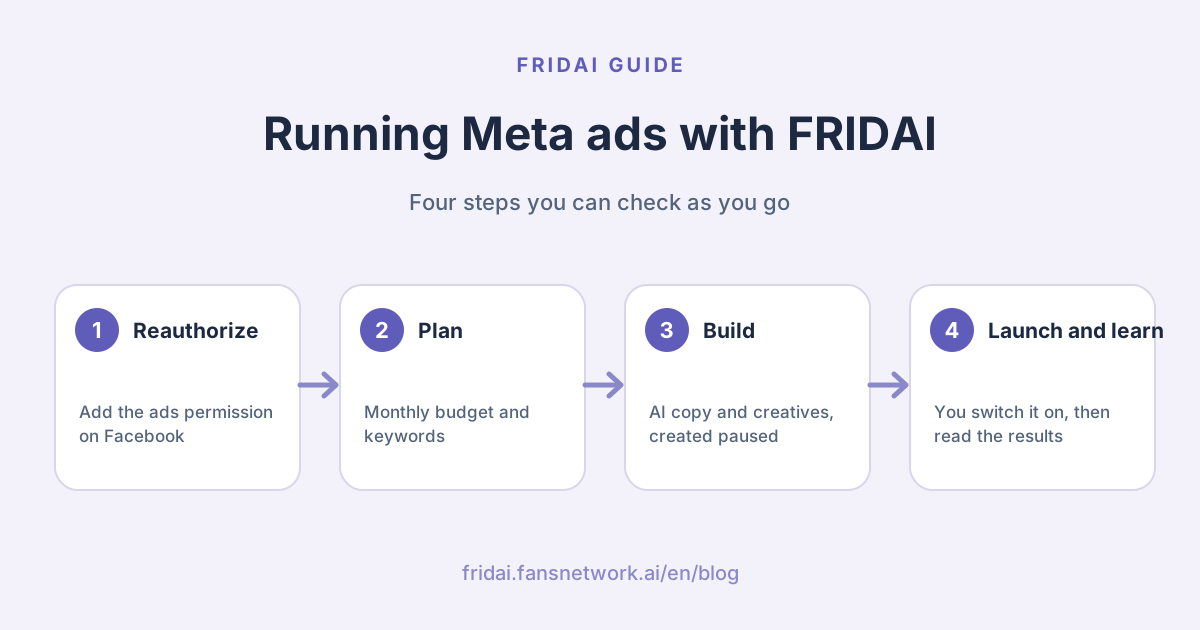
Most small businesses get stuck on ads for two reasons: they are not sure what to write, and they worry the budget will burn the moment they press a button. FRIDAI separates the two. AI prepares the copy, images and audience as a paused draft, and delivery starts only after you have checked it. Below we walk through FRIDAI's demo account step by step, from authorization to results, with a real screen for every step.
What can FRIDAI's ads features do for you?
FRIDAI focuses on click-to-message ads: someone sees your ad, taps the button and lands straight in an Instagram DM or Messenger chat with your AI assistant. FRIDAI replies to those messages, records them, and later ties each ad to its cost per message and cost per purchase.
| Feature | Where | What it does |
|---|---|---|
| Budget split | Ads → Set monthly budget | Suggests how to split Google and Meta |
| Google keywords | Ads → Prepare keywords | Keywords, ad copy and tracking URLs |
| DM ads | Ads → Build Meta ads | AI copy, ad created paused |
| AI Creative Lab | Ads → Build Meta ads | Several creatives as an A/ |
| Results | Lower part of Ads | Spend, cost per message, cost per purchase |
| AI assistant | Claude, ChatGPT and more | Ask about results, build drafts |
Three things to have ready
Ads run on your own Meta ad account, and Meta bills you directly. Before you start, check these four things:
- A Meta ad account in Ads Manager with a payment method.
- A connected Facebook Page. FRIDAI builds ads through the Facebook Page you connected. Link your Instagram account to that Page so ads can open Instagram DMs.
- An Ads plan. Results and suggestions are free. To create or launch ads, pick a plan under Ads plan on the Ads page: Launch (1 ad account, US$70/
month), Essential (3, US$160) or Enterprise (10, US$300), with 2 months free on annual billing. - Advertiser details. If you advertise in Taiwan, complete the beneficiary and payer verification in your Meta ad account first so reviews go smoothly.
Tip: if Meta's own AI agent (Meta Business Agent) is switched on, it picks up the messages that come in from ads before FRIDAI does. Switch it off around the time you reauthorize so FRIDAI can receive and answer them.
Step 1: Reauthorize Facebook to add the ads permission
From November 2026, connecting Facebook to FRIDAI asks for the ads permission as well. If you are already a FRIDAI customer, reauthorize once.
Open Authorization in the left menu, scroll to Manage account connection and press Reauthorize.

A Reauthorize this account window explains that your account, subscription and settings all stay as they are, so there is no need to disconnect first. Press Continue to reauthorize to go to Facebook.

On Facebook's authorization screens:
- Choose the same Facebook account as before.
- Tick the Page you will advertise with and the Instagram account linked to it.
- Leave every permission switched on, especially the ads-related ones, and confirm.
You land back in FRIDAI. Reauthorizing only updates permissions, and your AI replies keep the on or off setting they had.
Step 2: Open the Ads page
Once you have reauthorized, open Ads in the left menu. On your first visit FRIDAI walks you through it in an Ads setup chat: how much you want to spend a month, which page people should land on after tapping an ad, and finally Meta ads.
To go step by step yourself, press Use the form instead under the chat. You will see Set up ads step by step with four steps: Set monthly budget, Prepare keywords, Build Meta ads and Track performance.

You can follow the steps in order or tap a card to jump straight to it. If you only want Meta DM ads, tap Build Meta ads.
Step 3: Set a monthly budget and see the split
In Set monthly budget, enter your Monthly ad budget, choose a currency and press Generate allocation. FRIDAI reads your current Meta ad results and suggests how much goes to Google keyword ads and how much to Meta DM ads, with a daily limit for each.

This step only plans. It does not touch any ad, and ticking Prepare auto-launch drafts only prepares drafts that wait for your approval.
Step 4: Prepare Google keywords
If you also want Google Search ads, open Prepare keywords, paste your Landing page URL, check the market, language and goal, and press Generate keyword plan.

FRIDAI groups the keywords and writes search ad headlines, descriptions, negative keywords and tracking URLs. Press Copy all and paste the plan into Google Ads to create the campaign.
Step 5: Build your first Meta DM ad
Open Build Meta ads and press Create Ad at the top right to open the ad form:
- Ad Account ID: FRIDAI lists the Meta ad accounts you authorized. Tap one.
- Campaign Name: a name you will recognise, such as "November skincare DMs".
- Message Destination: Instagram DM, Messenger or Auto-optimize.
- Press AI Generate. Based on your account's brand persona, popular topics and top posts, FRIDAI writes the primary text, headline, welcome message and quick reply buttons, and suggests an age range.

Read every field the AI filled and adjust it to your own voice. Then paste an Image URL and set the age range, country and Daily Budget under Targeting.

Press Create Campaign. FRIDAI builds the whole campaign in your Meta ad account and shows "Campaign created successfully! Starts paused — activate when ready." The ad is not running yet and costs nothing.
When you are ready, find the ad in the list and press Activate to start delivery, or Pause to stop it. Switching it on in Meta Ads Manager works the same way.
Step 6: Make an A/B test in the AI Creative Lab
The same selling point told a different way can change your cost per message a lot. The AI Creative Lab reads your AI notebook and current ad results and builds creatives from different angles for small side-by-side tests.

Press Generate A/

When the direction looks right, press Confirm and generate images. Nothing before this point uses image quota.
Once the images are ready, each version has Edit ad package, where you can fine-tune the primary text, headline, description, CTA and DM opener.

Tip: tick at least two versions to compare them. Every version also has Download image if you want to use it elsewhere.
Step 7: Confirm budget and audience, then create a paused draft
Under the creatives is Confirm budget and audience. The Meta status at the top right reads PAUSED, so everything it creates starts paused.

Check each item:
- Creative source: use the AI images, or choose Use my own creative URL for your own photos.
- Apply best audience: FRIDAI fills in the group that sends you the most messages and creates a new test group, so ads that already run well stay untouched.
- Daily total budget and test days: the budget is split evenly between versions, and the line at the bottom shows the daily amount and how many versions share it.
Press Create A/

To start, tick "I confirm launching this A/
Step 8: Read the results and decide where to spend
Once ads are running, the Ads page lists each ad with its status and results. Active ads sit at the top; paused ads are folded underneath and open with a tap.

Below that, Detailed performance puts ad clicks, messages and customer purchases side by side. Ad recommendations tells you the next move: which ad to scale and which audience sends the most messages.

How to read the numbers:
| Metric | What it means | How to use it |
|---|---|---|
| Cost/ | Average spend per message | Compare creatives, scale the cheaper one |
| Cost/ | Average spend per sale | Closer to real profit than messages |
| Purchase source | Whether sales tie back to ads | Cost per purchase appears once it does |
| Recommendations | FRIDAI's suggested next step | Adjust creatives or budget accordingly |
Further down you will find A/
Ads you already run in Meta Ads Manager show up too, marked Imported from Ads Manager. You see their results and recommendations here; switch them on or off in Ads Manager.
Manage ads from your own Claude or ChatGPT
If Claude, ChatGPT or Codex is already connected to FRIDAI MCP, you can ask about your ads in one sentence. New connections include the ads permissions. For an older connection, reconnect once from your AI assistant and the consent page will list "Read ad campaigns and performance" and "Manage ad campaigns and performance". See connecting ChatGPT to FRIDAI for the connection steps.
| You can say | What the assistant does |
|---|---|
| Which ad had the lowest cost per message in the last 30 days? | Reads results and sorts by cost per message |
| Which ads brought messages that turned into sales? | Matches ads, messages and purchases |
| Plan a monthly ad budget of NT$30,000 | Suggests the Google and Meta split |
| Turn my best-reaching Instagram AutoPost into a DM ad | Shows the plan first, then creates a paused ad |
| Make three DM ad creatives to compare | Creates a paused A/ |
Anything that changes data is shown to you as a preview first and runs only after you approve it. Ads it creates are paused too. When you want one to start, the AI only gives you an approval link showing the daily budget, days and maximum spend; you sign in to the dashboard and press Start delivery yourself, and the AI cannot press it for you. Without an Ads plan, the AI tells you which plan to add first.
FRIDAI reminds you before big shopping dates
Before dates like Mother's Day, 11.11 or Christmas, FRIDAI reminds you on LINE to prepare an ad. Ask it to build one and you receive a "Your ad draft is ready" card with the draft and an AI score, where you can choose ✨ Auto-launch, 👀 I want to review, or skip that date.
With Auto-launch, FRIDAI creates a paused ad in your Meta ad account and sends you a LINE message with a link to Meta Ads Manager, where you check it and switch it on.
Four habits that keep ad spend working
1. Fill in your AI notebook first
The AI Creative Lab reads your AI notebook when it writes copy and creatives. Clear brand points, selling points, prices and off-limits claims make the ads sound like you and keep them out of trouble. See how to write an AI customer service knowledge base.
2. Match the welcome message to questions the AI can answer
The first thing people see after tapping an ad is the welcome message and quick reply buttons. Write the buttons as real customer questions, such as "How much is it?" or "How do I book?", so your AI assistant can answer straight away.
3. Change one thing per test
Keep audience and budget the same and change only the creative angle, so you know what caused the difference. Follow the on-screen guidance and let each version collect a few days of data before picking a winner.
4. Decide with cost per purchase
More messages do not always mean more sales. Record purchases in your customer records and FRIDAI can work out each ad's cost per purchase. Use that number when you decide what to scale.
Summary: prepare first, spend once you have confirmed

A quick note from FRIDAI
We went from authorization all the way to results today. Here is the short version~
- Press Reauthorize in Authorization so your Facebook connection includes the ads permission, and add an Ads plan on the Ads page.
- Set a monthly budget on Ads, then use AI Generate in Build Meta ads to write your copy.
- Use the AI Creative Lab to make several creatives as a paused A/
B test draft. - Ads start spending only when you press Activate, or tick the confirmation and press Start delivery.
- Read Detailed performance and Ad recommendations, and scale by cost per purchase.
Start with one small DM ad, tap it yourself to see what customers will get, and leave the replies to me ☺️
FAQ
Will reauthorizing affect my current AI replies?
No. Reauthorizing only updates your Facebook connection and permissions. Your account, subscription and settings stay, and AI replies keep their current on or off setting.
When does an ad created by FRIDAI start spending?
Every ad FRIDAI creates starts paused. It runs and spends only after you press Activate in the ad list, tick the confirmation and press Start delivery for an A/
Who do I pay for the ads?
Ads run on your own Meta ad account, and Meta charges the payment method you set up there.
Can I see ads I already run in Meta Ads Manager?
Yes. FRIDAI reads the ad accounts you authorized and marks those ads Imported from Ads Manager, with their results and recommendations. Switch them on or off in Meta Ads Manager.
Does generating creatives use my image quota?
Generate A/
Can I use my own photos?
Yes. In Confirm budget and audience, choose Use my own creative URL and paste an image link, or upload a JPG, PNG, WebP or GIF image.
Do ad features cost extra?
Ad results, the messages and sales your ads bring in, optimization suggestions and budget planning are free. To have FRIDAI create or launch ads, add an Ads plan: Launch US$70/
Which accounts can use ads?
Meta ads work with Instagram and Facebook accounts connected through a Facebook Page and your own Meta ad account.
Does FRIDAI create Google keyword ads too?
FRIDAI prepares the Google keywords, ad copy and tracking URLs. Press Copy all and paste them into Google Ads to create the campaign.
How FRIDAI can help
If you want every message from your ads answered in seconds, connect Instagram and Facebook with FRIDAI Chat so your AI assistant picks up each one, then use Ads to build paused ads with AI and launch them once you have checked them.
- AI for DMs: FRIDAI Chat
- Plans and pricing: FRIDAI pricing
- Manage FRIDAI from an AI assistant: FRIDAI MCP
- Instagram: FRIDAI Instagram
- Threads: FRIDAI Threads
- Facebook: FRIDAI Facebook
Official sources
- Meta Ads Manager: adsmanager.facebook.com/
- Meta for Developers, permissions reference: developers.facebook.com/
docs/ permissions - FRIDAI Chat: fridai.fansnetwork.ai/
en/ fridai-chat - FRIDAI MCP: fridai.fansnetwork.ai/
en/ mcp