
Most owners don't avoid ads because they don't want them. They get stuck on where to start: which post, how much a day, what competitors do, and what the numbers mean afterwards. Each of those is now one question in a chat, and FRIDAI explains every step. Below we run the whole flow on FRIDAI's own Instagram account, with real screenshots from desktop and phone.
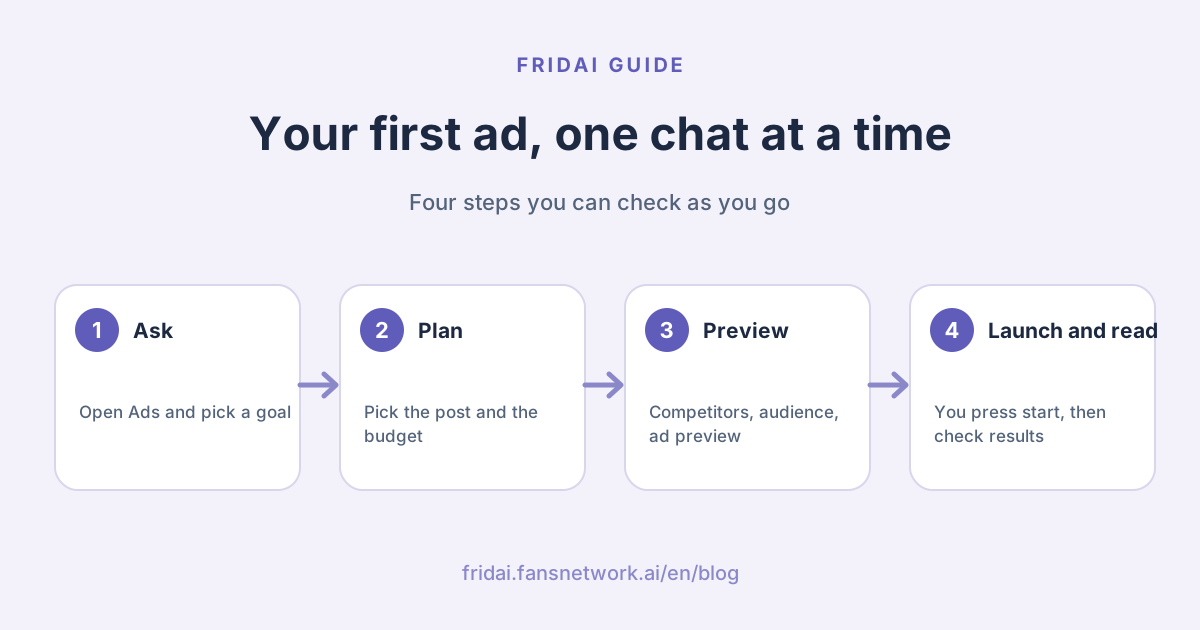
What does the ads chat walk you through?
You only tap and type numbers. No ad jargon to learn first:
| Step | What FRIDAI asks | What you do |
|---|---|---|
| Goal | What should ads bring you? | Tap "More message enquiries" or another option |
| Ad account | Which ad account this time? | Tap one, then check the payment method |
| Post | These did best recently, pick one | Tap a post, or ask for a new one |
| Budget | How much can you spend a month? | Type a number, or ask for a suggestion |
| Competitors | Want to peek at other brands' ads? | Type a name, or skip |
| Audience | Who should see it? | Beginners use a broad audience |
| Preview | Here's roughly how it will look | Tap "Use this" or ask for another version |
| Launch | Press Start when you're ready | Spending starts only when you press it |
| Results | Want to see how it's doing? | Tap "Check results" |
Step 1: Open the Ads page and tell FRIDAI what you want
In the FRIDAI dashboard, tap Ads in the left menu and the chat starts on its own. FRIDAI introduces itself and asks what you most want from ads: more message enquiries, more bookings or orders, or more people getting to know you. We picked more message enquiries.
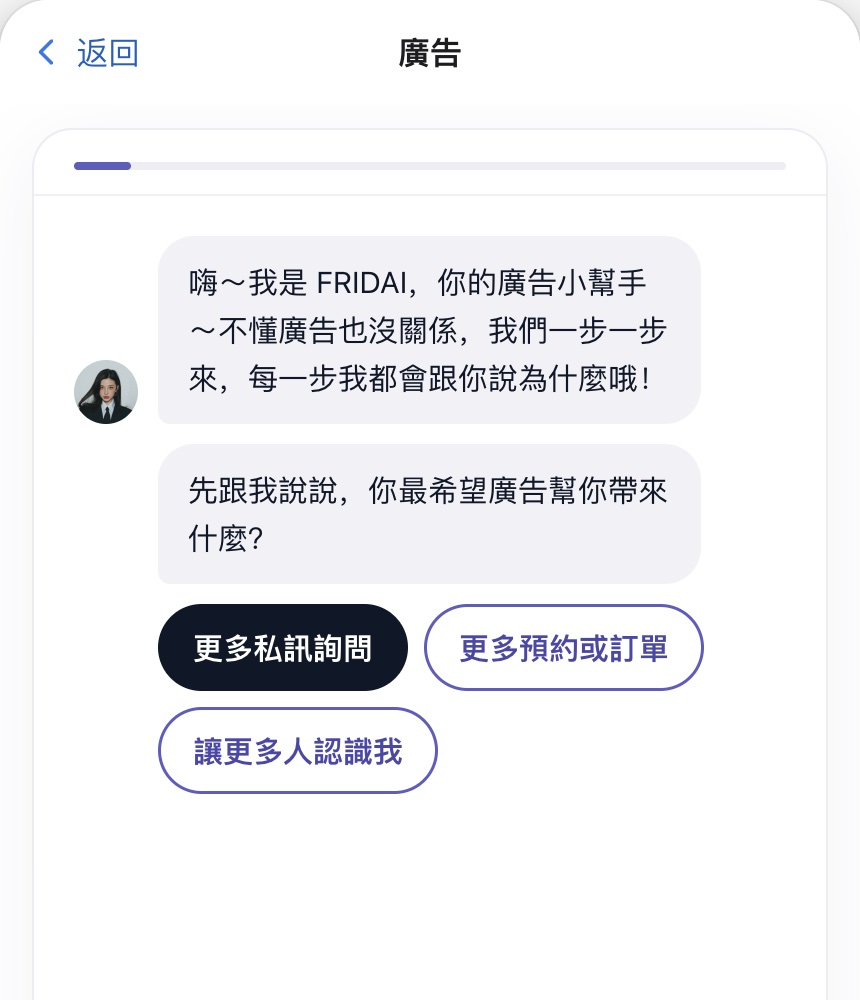
FRIDAI then explains the ad in one line: people who see it tap once and start messaging you, and the AI catches every message.
Step 2: Pick the ad account and check the payment method
FRIDAI checks your Meta ad accounts first. If you have several, it lists them as cards, each marked as ready to use.
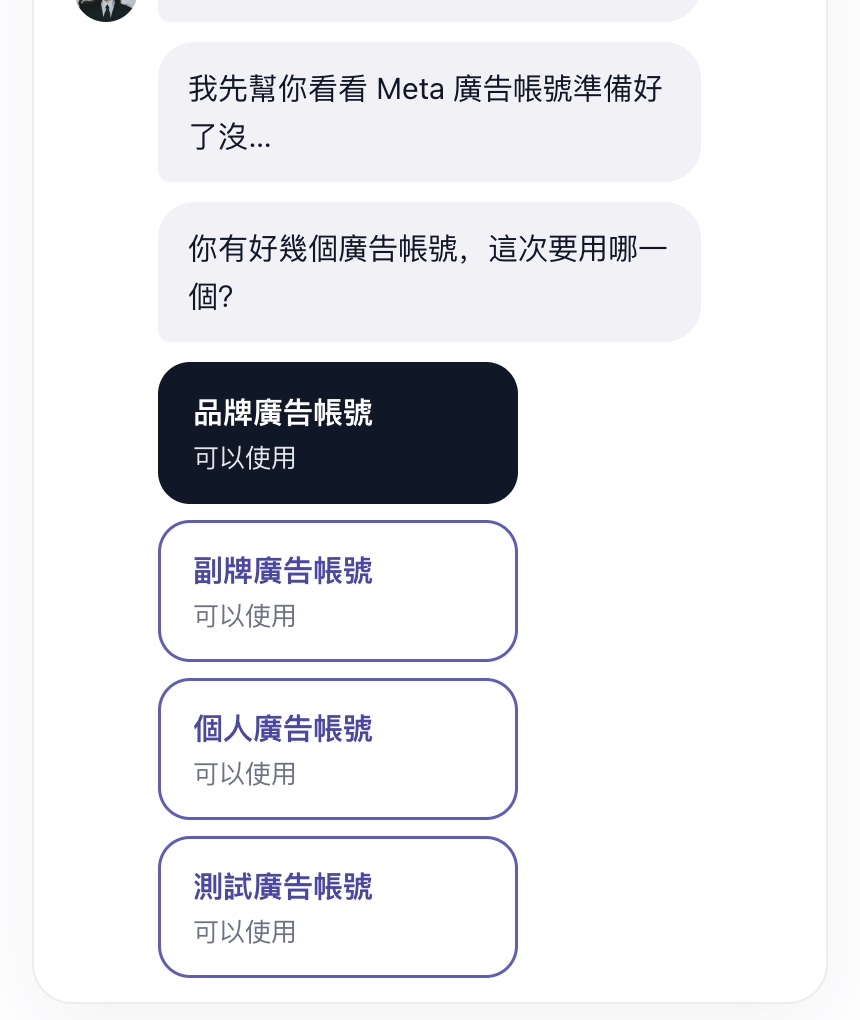
After you pick one, it tells you the account's currency and adds a button to open Meta's billing and payments page. Enter card details on Meta's page; FRIDAI never needs them.
Step 3: Pick the best post to promote
The best ad is usually a post that reached many people without paid help, because that shows real interest. FRIDAI reads your recent post results and lists the three with the highest reach, each labelled with how many times your usual reach it got.

We picked the first one: 3,294 people, 21.3 times our usual reach. No suitable post? Tap "I want a new one" and FRIDAI writes one from your AI notebook.
Step 4: Type a monthly budget and FRIDAI works out the daily amount
Next FRIDAI asks how much you can spend a month. We typed 6000 and it answered "NT$200 a day, run 7 days first, about NT$1,400", with a reason for each number:
- NT$200 a day: NT$6,000 a month spread evenly, so running it longer still fits the budget.
- 7 days first: for the first 3 days Meta is still learning who to show it to and the numbers jump around; a full week covers weekdays and weekends.
- Pause any time: Meta keeps the daily average within the amount you set.
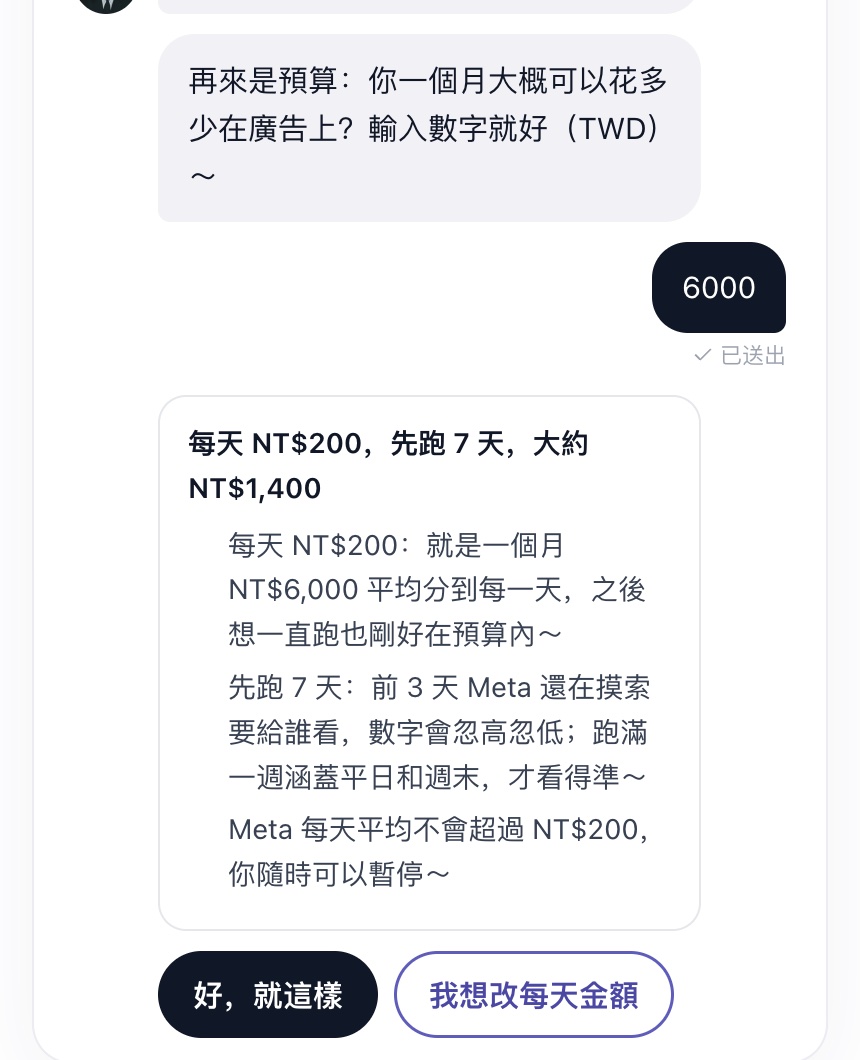
Not sure what to spend? Tap "I don't know, you suggest" and FRIDAI proposes a sensible test amount. To set your own, tap "Change the daily amount".
Step 5: Peek at how other brands advertise
Meta's public Ad Library lets anyone see the Facebook and Instagram ads a brand is running. FRIDAI asks whether you want to look; we typed "Manychat" and it prepared the search link plus five things to notice in each ad:
- How the first line grabs attention
- What the viewer gets (a trial, a discount, a lesson)
- The format (video, carousel, single image)
- What it asks people to do (message, book, buy)
- How many versions of the same idea it runs
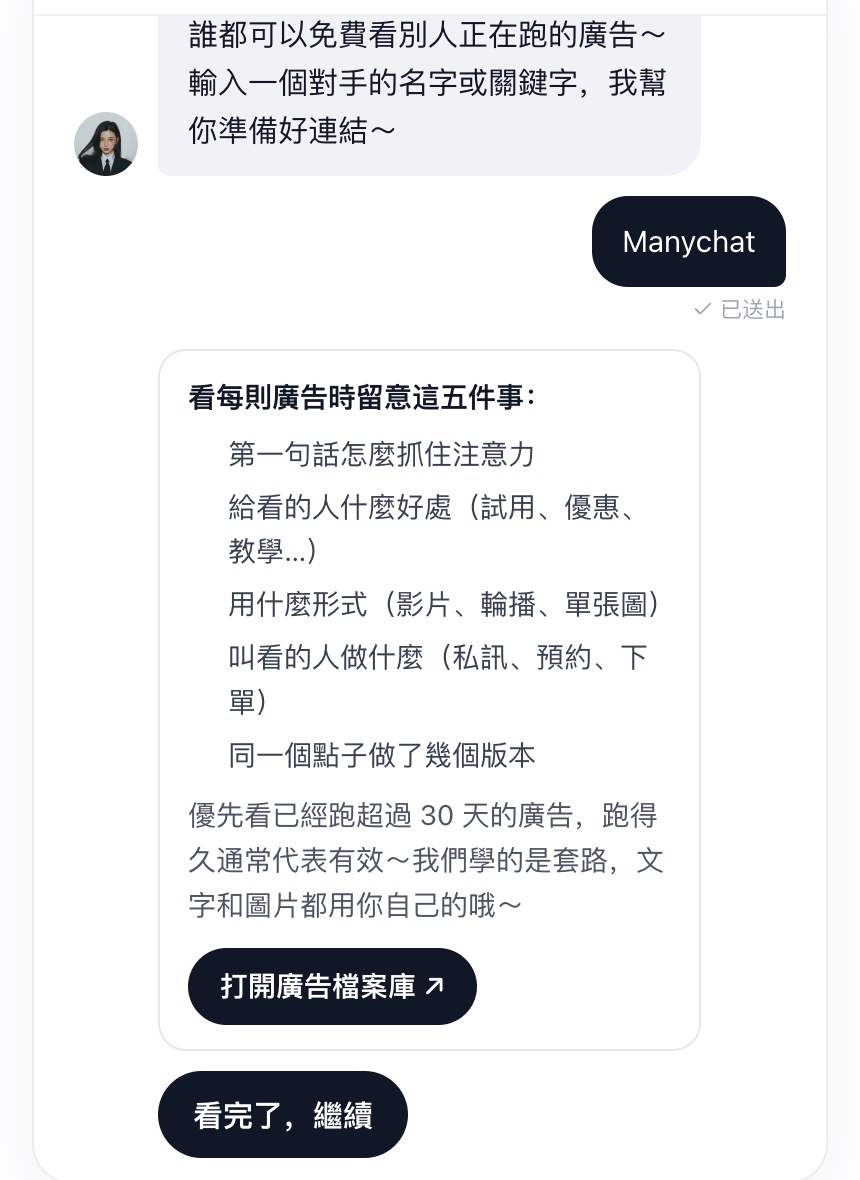
Look first at ads running for more than 30 days; long-running ads usually work. Learn the approach and use your own words and images. You can also tap Skip.
Step 6: Choose who sees it; beginners start broad
FRIDAI suggests a broad audience for beginners: set Taiwan and a suitable age range, and let Meta find the people. It usually works well.
If you've heard of lookalike audiences, tap "What's a lookalike audience?". FRIDAI explains it plainly: give Meta a seed of people who interacted with you (at least 100 people in Taiwan) and Meta finds the people in Taiwan most like them. It also lists the steps in Meta Ads Manager.
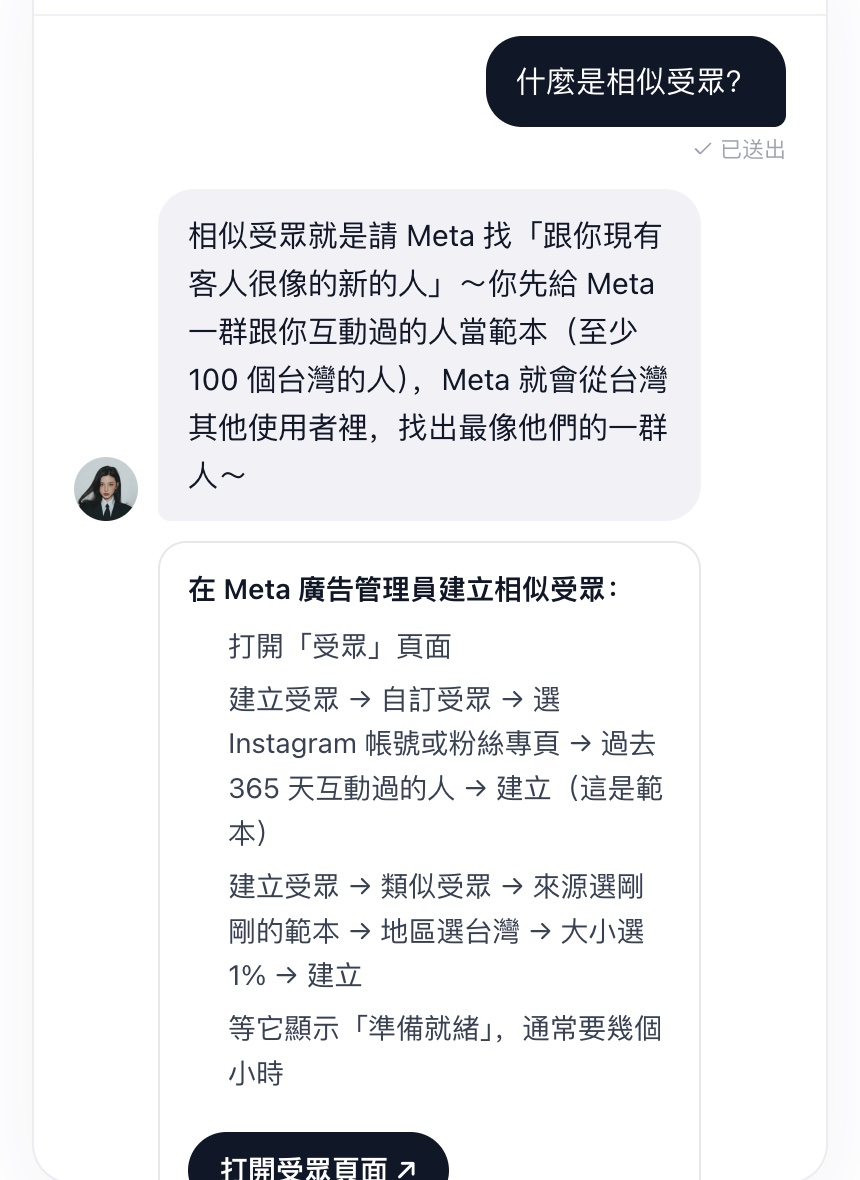
A lookalike takes a few hours to build, so the first ad runs on a broad audience and the next one can try the lookalike.
Step 7: Preview the ad and tap "Use this"
FRIDAI uses your chosen post as the ad, then writes a headline plus the welcome message and quick-reply buttons people see when they tap through.

The welcome message decides whether people keep chatting. Tap "Another version" for a different one, or "Edit the copy myself".
Step 8: Spending starts only when you press Start
After "Use this", FRIDAI creates the ad paused. Nothing has been spent yet.
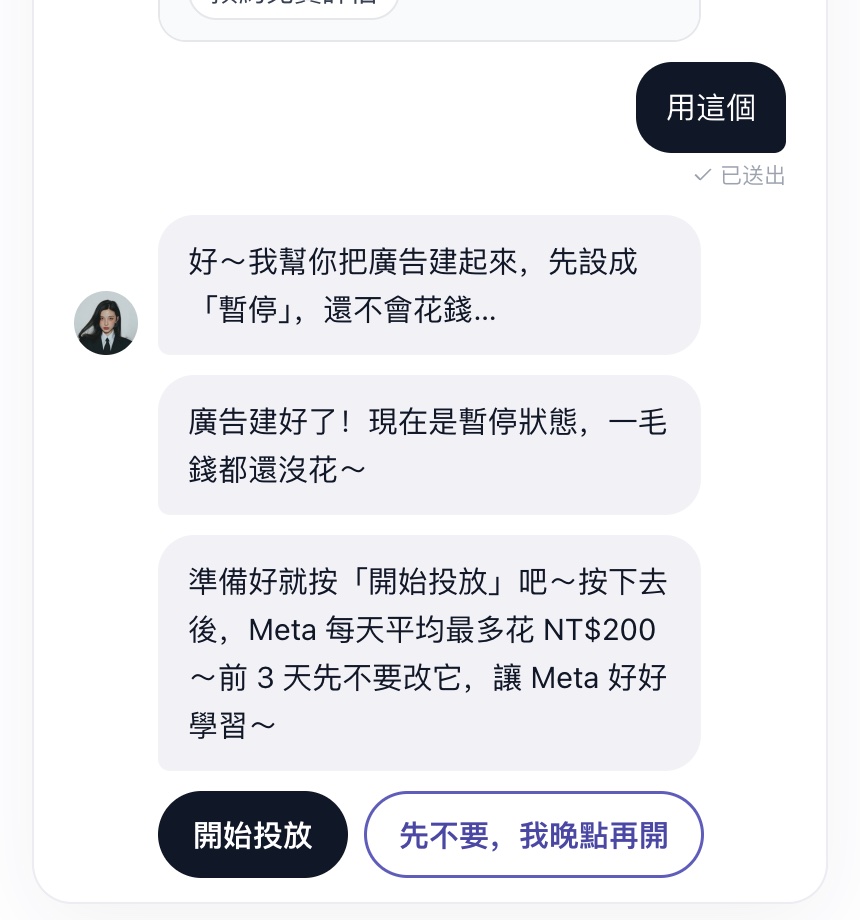
When you're ready, press Start. Meta then spends up to your daily amount on average. Leave the ad alone for the first 3 days so Meta can learn.
Creating and launching ads needs an Ads plan, added on the Ads page (from US$70 a month); Meta bills the ad spend to you directly. For the full form and more settings, tap "Use the form instead" under the chat, or see the Meta ads tutorial.
Step 9: After a few days, tap "Check results"
Open the Ads page again after a few days. FRIDAI sees you already have an ad and asks whether to check results or make another. Tap "Check results" and it reads the last 7 days, gives a one-line verdict, then the next step.
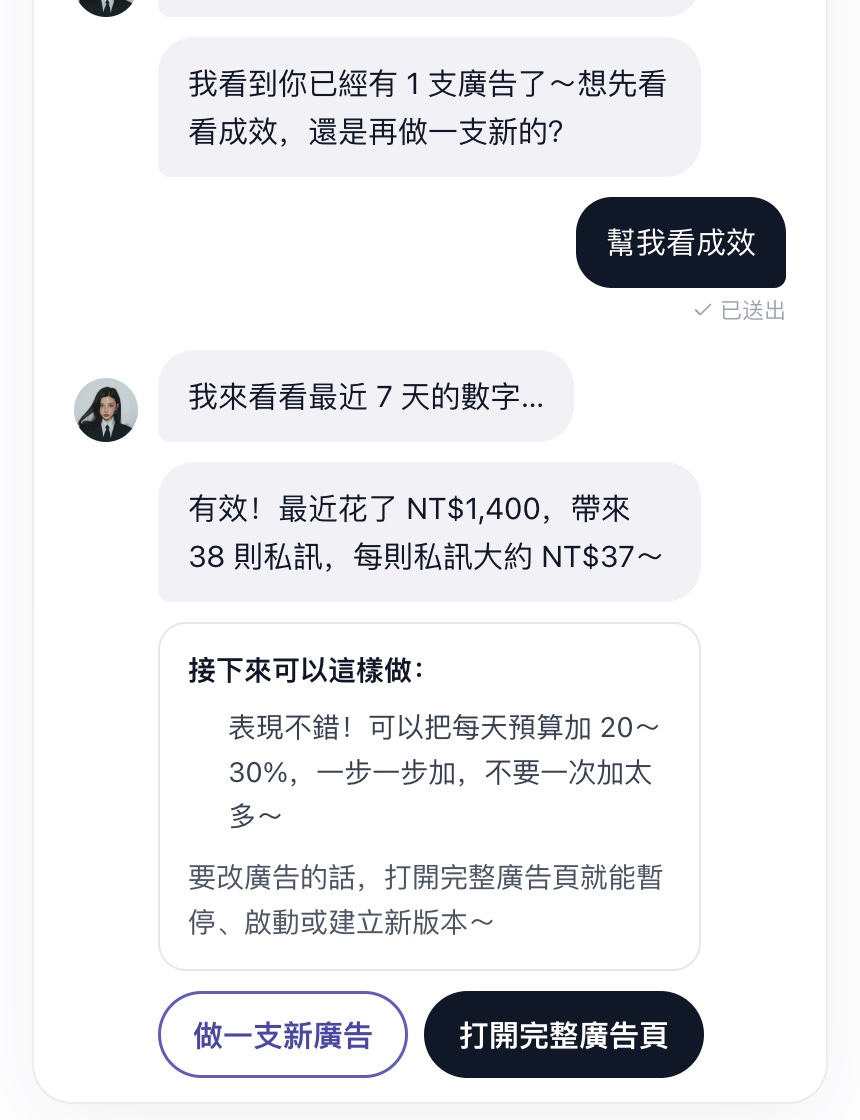
Our ad spent NT$1,400 and brought 38 messages, about NT$37 each. FRIDAI matches the next step to the numbers:
| What you see | FRIDAI's next step |
|---|---|
| Fewer than about 1,000 impressions | Wait a few more days while it learns |
| Low click-through rate | Try a new image or another post |
| Good clicks but few messages | Improve the welcome message |
| Many messages but no sales | Improve the AI replies first |
| Many messages at a good cost | Raise the daily budget 20 to 30%, step by step |
You can also ask the ads coach in Claude or ChatGPT
If you live in an AI assistant, connect FRIDAI under "Connect AI assistant (MCP)" in the dashboard to Claude, ChatGPT, Codex or Grok and say "I want to run ads". The same ads coach picks the post, sets the budget, studies competitors and reads the results in that conversation.

For each assistant's setup, see connect FRIDAI to Claude or Codex and install the FRIDAI ChatGPT plugin.
Three tips for your first ads
1. Decide what one message is worth
A simple rule: average order value × the share of people who buy after messaging ÷ 2. If you sell NT$3,000 on average and 1 in 10 people who message buys, a message is worth about NT$150; anything below that is a good cost.
2. Leave it alone for 3 days
Early numbers jump around, and editing the ad makes Meta start learning again. Unless it's rejected or nobody sees it, let it run.
3. Ads pay off when every message gets an answer
Ad messages need a fast reply. Fill in your AI notebook first so the AI can answer price and booking questions the moment people tap through. See how to write an AI customer service knowledge base.
Summary: open the Ads page and follow the chat

A quick note from FRIDAI
We ran every step on FRIDAI's own account. Here's the recap:
- Open Ads in the dashboard and FRIDAI asks you one question at a time.
- Pick the goal and the ad account, then one of your highest-reach posts.
- Type a monthly budget and FRIDAI sets the daily amount and test length.
- Check competitor ads, choose the audience and tap "Use this" on the preview.
- The ad starts paused and spends only after you press Start; tap "Check results" a few days later.
No ad experience needed. Open the Ads page and we'll start with the first question ☺️
FAQ
Does the ads chat cost extra?
Picking posts, budgeting, competitor and audience help, and results reads are free. To let FRIDAI create and launch ads, add an Ads plan: Launch at US$70 a month (1 ad account), Essential at US$160 (3) or Enterprise at US$300 (10).
Could FRIDAI switch an ad on and spend my budget by itself?
No. Ads are created paused, and spending starts only when you press Start in the chat.
Can I run ads on a small budget?
Yes. Type what you can spend a month and FRIDAI works out the daily amount and days. Not sure? Tap "I don't know, you suggest".
I prefer forms. Do I have to use the chat?
No. Tap "Use the form instead" under the chat to get the full ad settings page, and tap "Let FRIDAI guide me" to come back to the chat any time.
Does it work on a phone?
Yes. The Ads page in the phone dashboard is the same chat, and every step is a tap.
Can I copy a competitor's ad?
FRIDAI only helps you learn the approach, such as how the first line works or how it invites a message. Your words, images and brand stay your own.
Who do I pay for the ads?
Ads run in your own Meta ad account and Meta bills you through the payment method you set there. Enter payment details on Meta's page.
Anything special about ads shown in Taiwan?
Ads shown in Taiwan need a beneficiary and a payer. The first time an ad account advertises in Taiwan, publish one Taiwan ad in Meta Ads Manager and fill both in; FRIDAI reuses them after that.
How FRIDAI can help
To make sure every message from your ads gets a fast answer, connect Instagram and Facebook to FRIDAI Chat, then open the Ads page and let FRIDAI walk you from picking a post and a budget to reading the results.
- AI for DMs: FRIDAI Chat
- Plans and pricing: FRIDAI pricing
- Manage FRIDAI from an AI assistant: FRIDAI MCP
- Instagram: FRIDAI Instagram
- Threads: FRIDAI Threads
- Facebook: FRIDAI Facebook
Official sources
- Meta Ad Library: www.facebook.com/
ads/ library/ - Meta Ads Manager: adsmanager.facebook.com/
- Meta Business Help Center, lookalike audiences: www.facebook.com/
business/ help/ 164749007013531 - FRIDAI MCP: fridai.fansnetwork.ai/
en/ mcp