
Lots of people are searching for Grokbot and Grok automation to see whether xAI's Grok Bot can run their social media. This guide covers what Grok Bot automation includes, the jobs it does best, why social accounts need a dedicated always-on environment, how to split the work with FRIDAI, and how to connect the two.
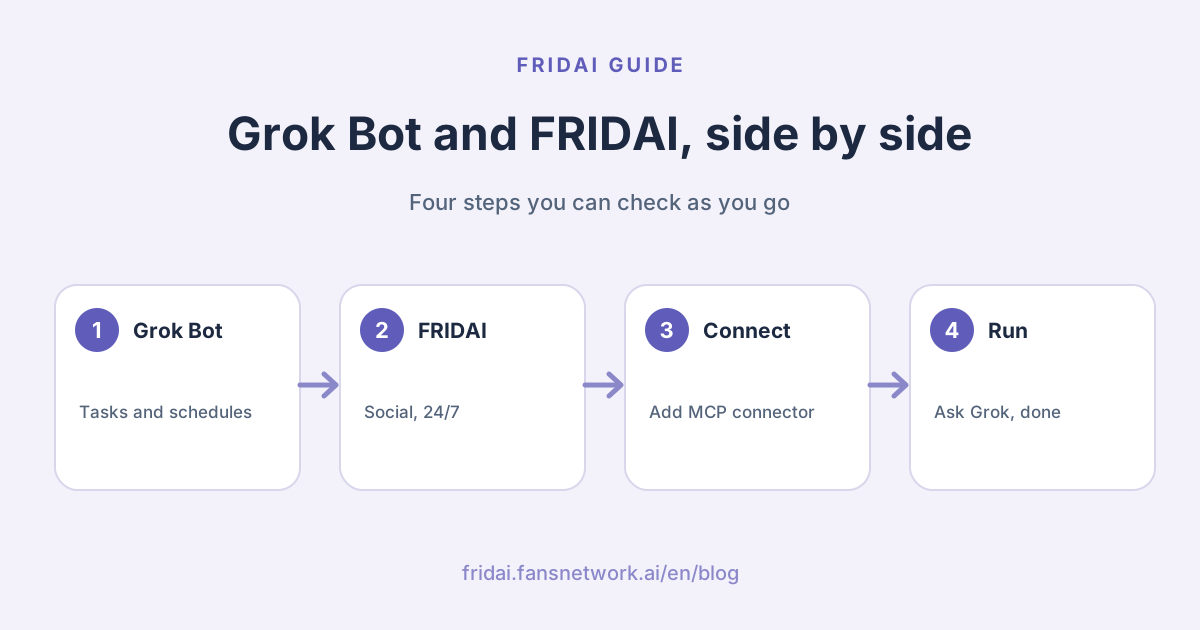
What Grok Bot is: the four building blocks of Grokbot automation
Grok Bot is xAI's AI teammate. You create named Bots with their own jobs and hand them multi-step tasks in chat. The official docs describe four building blocks:
- Plugins / Connectors: connect services such as Gmail, Slack and GitHub, or add a custom connector for any tool that speaks MCP.
- Skills: reusable instructions that say when to use them, what inputs and access they need, the steps, how to check the result and what to return.
- Routines: a Bot starts work on a schedule or on events such as a Slack message, an email or a webhook call.
- Cloud computer: each account gets a cloud computer with a browser, files and a terminal. Background work keeps going after you close your laptop.
On grok.com there are also Automations: describe a task once, pick a daily or weekly time, and Grok runs it. SuperGrok users can also trigger an automation when a matching email arrives. Each run is a fresh conversation, and results can arrive by email or app notification.
What Grok automation does best
Grok Bot shines on tasks with a clear start and finish. These are great fits:
| Job type | Example | Feature |
|---|---|---|
| Scheduled digest | Monday competitor roundup | Automations |
| Email follow-up | Summarise each quote request | Email trigger |
| Cross-tool lookup | Find to-dos in Gmail, Slack | Connectors |
| Repeat process | Weekly report, same format | Skills |
| Event response | Start work on a webhook | Routines |
| One-off research | Research, compare, make slides | Cloud computer |
The test is simple: if a job can be written as "when it starts, which steps, what it delivers", Grok Bot will do it well.
Why social automation needs a dedicated always-on environment
Social accounts work differently. Comments and DMs arrive at any hour, a 2 a.m. inquiry matters as much as a noon one, and the system has to stay online, stay signed in and keep answering.
Grok Bot's docs are clear that it is built to take on tasks and hand human steps back to you:
- Sign-ins come back to you: when a site asks for a new login, a CAPTCHA, two-factor approval or another human step, the Bot pauses and hands you the computer. You finish that step and tell it to continue.
- One shared computer: every Bot on your account shares one cloud computer and the same browser sign-ins, and each Bot runs one computer-use task on its screen at a time.
- Weekly usage: Grok Bot runs on weekly usage. With on-demand usage off, it stops when the week's usage runs out and resumes when it resets.
- Routines have a rhythm: each Bot can own up to 50 routines, schedules are at least five minutes apart, and after a long absence Grok Bot may ask whether to keep routines running and pause them if nobody answers.
That design makes Grok Bot fast and safe for handed-off tasks. Social accounts need a different rhythm: Instagram, Facebook and Threads watch automation closely and often ask for re-verification. When our team ran social accounts through general-purpose AI agents, the most common interruption was getting logged out and having to sign in again. Staying on 24/
Tip: keep social sign-ins inside the system that runs your social accounts, and let your general agent focus on research and reports. Both stay clean that way.
Grok Bot vs FRIDAI: social automation compared
| Aspect | Grok Bot | FRIDAI |
|---|---|---|
| Built as | General AI teammate | Social and support AI |
| How it runs | Handed-off and scheduled tasks | Always on, 24/ |
| Comments, DMs | Through connector calls | Official APIs, instant replies |
| Browser | Shared by your Bots | One dedicated per customer |
| On re-login | Pauses, hands back to you | Dedicated browser stays signed in |
| Social patrol | One-off tasks | Continuous, on a schedule |
| Scheduled posts | Routine reminders | Posting on 7 platforms |
| Human handoff | Hands back to you | Handoff and alerts |
| Best for | Research, reports, tools | Daily customer work on social |
Comments and DMs: instant replies over official APIs
FRIDAI answers comments and DMs through each platform's official API. DMs on Instagram, Facebook, LINE, WhatsApp, Telegram and Discord, and comments on Instagram, Facebook, Threads, YouTube, LinkedIn and X, trigger an AI reply as they arrive, with no browser kept open. Replies follow the facts you write in your AI rules (the knowledge notebook), and complaints, refunds or requests for a person are passed to you.
Patrol and Threads DMs: a dedicated cloud browser for every customer
Some jobs have no public API, such as Threads DMs and social patrol, where FRIDAI comments on relevant posts for you. FRIDAI gives every customer a dedicated cloud browser that stays signed in to their own account and works on a schedule. Your account never shares an environment with anyone else, and the dedicated browser keeps the session alive.
Scheduled posts: plan a whole week at once
FRIDAI Post writes, schedules and publishes on 7 platforms, then collects results so the next post fits your audience better. You approve the content and it goes out on time.
Use both: let Grok steer FRIDAI with the MCP connector
Grok Bot is great at listening and organising ideas; FRIDAI is great at doing the work 24/
Setup: in Grok, open Plugins, choose New Connector → Custom, enter https://www.fansnetwork.ai/, sign in with your FansNetwork account and click Allow. Every step, with screenshots, is in How to connect FRIDAI MCP in Grok.
Then try prompts like these:
Show me the questions FRIDAI answered most this week, in three points
Update FRIDAI's AI rules: weekend hours are now 11:00–20:00
Draft three Threads posts for next week and show me first
Check FRIDAI's connection status and tell me if any account needs reauthorizing| Job | Who does it | Why |
|---|---|---|
| Ideas, research | Grok Bot | Strong at chat and research |
| Edit AI rules | Ask Grok | Writes to FRIDAI over MCP |
| 24/ | FRIDAI | Always-on official APIs |
| Patrol, Threads DMs | FRIDAI | Dedicated cloud browser |
| Scheduled posts | FRIDAI Post | Publishes on time |
Editor's tip: before a rule change, ask Grok to list exactly what it will change, confirm it, then write it to FRIDAI. Every step stays visible.
How to decide who gets each job
Ask three questions about any job:
- Does it finish? Research, summaries and reports with a clear deliverable go to Grok Bot.
- Does it need to stay online? Comments and DMs that arrive at any hour go to FRIDAI.
- Does it need a signed-in social account? Ongoing social work that needs a live session goes to FRIDAI's dedicated cloud browser.
If the answer to question 2 or 3 is yes, put it in FRIDAI. Everything else goes to Grok Bot, and the MCP connector lets the two work together.
Summary: Grok Bot takes the tasks, FRIDAI looks after social

A quick note from FRIDAI
Grok Bot and FRIDAI are good at different things, and together they cover the whole job~
- Grok Bot is best at tasks with a start and finish: scheduled digests, email follow-ups, cross-tool lookups.
- Comments and DMs that need answering 24/
7 go to FRIDAI over official APIs. - Patrol and Threads DMs run in FRIDAI's dedicated cloud browser for each customer, which stays signed in.
- Add the FRIDAI MCP connector to Grok to check results, edit rules and draft posts in one sentence.
Write your five most-asked questions into FRIDAI, then ask me to check them from Grok. Your social accounts finally get someone on duty around the clock ☺️
FAQ
What is Grok Bot?
Grok Bot is xAI's AI teammate service. You create Bots and hand them multi-step tasks in chat. It includes a cloud computer, Plugins / Connectors, Skills and Routines that run work on a schedule or on events.
What can Grok Bot automation do?
Grok Bot can run scheduled digests, start work when an email or webhook arrives, read and write tools such as Gmail and Slack through connectors, and use its cloud computer for research and web tasks. Automations on grok.com run on a schedule, and SuperGrok users can add email triggers.
Can Grok Bot reply to social media comments 24/7?
For comments and DMs that need answers around the clock, use a dedicated social automation tool. FRIDAI replies to comments and DMs instantly over official APIs, and the MCP connector lets Grok check results and edit rules.
How do I connect FRIDAI to Grok?
In Grok, open Plugins, choose New Connector → Custom, enter https://www.fansnetwork.ai/
How does FRIDAI's patrol stay signed in?
FRIDAI gives every customer a dedicated cloud browser signed in to their own account, never shared with anyone else, so patrol and Threads DMs keep running on schedule.
How FRIDAI can help
To keep your social accounts covered 24/
- Comments and patrol: FRIDAI Social
- DM support: FRIDAI Chat
- Publishing: FRIDAI Post
- Instagram: FRIDAI Instagram
- Threads: FRIDAI Threads
- Facebook: FRIDAI Facebook
Official sources
- Grok Bot docs: docs.x.ai/
grok-bot - Grok Bot computer and apps: docs.x.ai/
grok-bot/ computer-and-apps - Grok Bot skills and routines: docs.x.ai/
grok-bot/ skills-routines-and-automations - Grok Bot FAQ: docs.x.ai/
grok-bot/ faq - xAI, "Automations in Grok": x.ai/
news/ grok-automations - FRIDAI website: fridai.fansnetwork.ai/
en/