
Many people get stuck looking for a support phone number or email address. OpenAI actually puts its human support inside the Help Center chat. This guide walks you through which entry point reaches a person, what to prepare before you send, where refunds and cancellations go, and which issues use a form instead.
Does ChatGPT have human support?
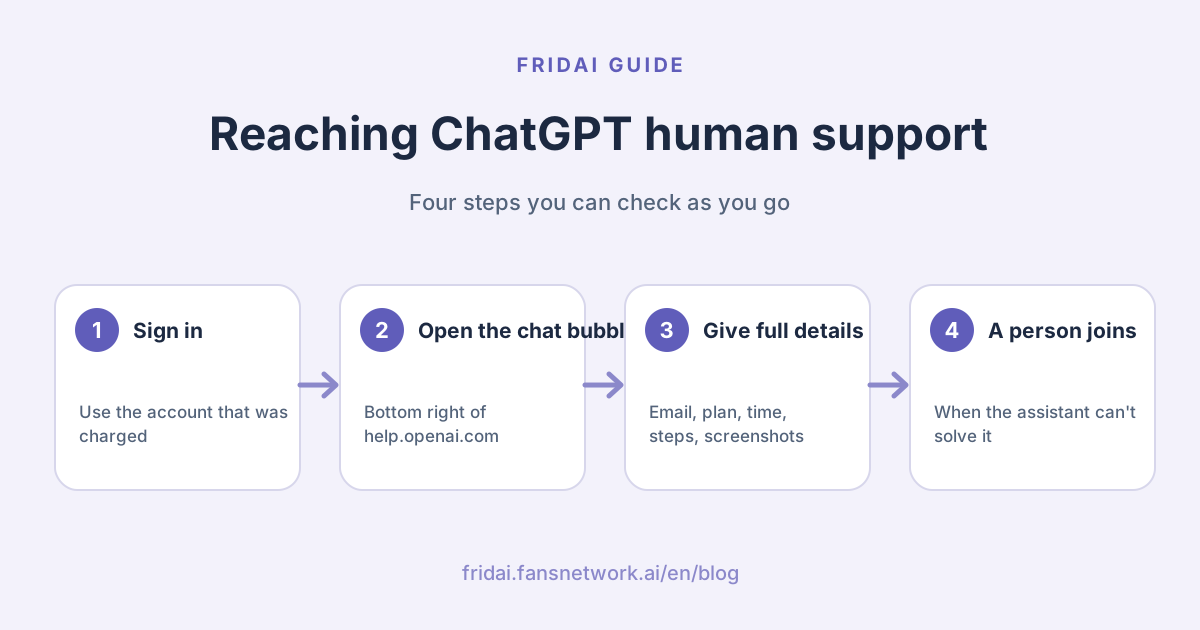
Yes. OpenAI's help article is clear: you contact OpenAI Support by opening the chat bubble icon at the bottom right of help.openai.com. A new chat starts with a virtual assistant, and when the bot can't resolve your issue, a human agent joins.
Support is available in most languages. Write in your own language; if it is supported, Support continues in that language, and otherwise in English.
| What you need | Official entry point | Will you reach a person? |
|---|---|---|
| General, account and payment questions | Chat bubble on help.openai.com | Yes, a human joins when the assistant can't solve it |
| Refunds | The same chat bubble, signed in to the charged account | Yes, after a quick eligibility summary |
| Phone (US, Canada, Australia) | AI phone support | No, it cannot connect you to a live agent |
| Is the service down? | status.openai.com | No need, just check the status |
Step by step: contacting ChatGPT human support
Step 1: sign in to the account you pay with
For refund or billing issues, OpenAI asks you to sign in to help.openai.com with the same OpenAI account that was charged. If the chat shows requires_login or "login required", or can't find your subscription, select Log in, sign in to the right account, then reopen the chat.
Step 2: open the chat bubble
Every help.openai.com page has the chat bubble at the bottom right. Open it and describe your issue; the virtual assistant tries to answer or routes you to the right workflow.
Step 3: give all the details at once
Once a human agent joins, the more complete your details, the faster they can help. Prepare the checklist in the next section and paste it in one go.
Step 4: wait for the reply
If you qualify for a refund, OpenAI states it processes it within 5–7 business days; when the money shows up in your bank or card account also depends on your bank. A receipt goes to your account email, so check your spam folder if you don't see it.
What to prepare before contacting support
OpenAI's best practices for a support request include the following. Here they are as a fill-in checklist:
| Item | What to write |
|---|---|
| Issue description | One or two sentences on what happened |
| Account email | The sign-in email plus sign-in method (Google, Apple, Microsoft or password) |
| Plan | Plus, Pro or whichever plan you use; mention a different billing email too |
| Steps to reproduce | What you did before the problem appeared |
| Timestamp | Date, time and time zone |
| Screenshots or recordings | Capture the error, with personal data hidden |
| Environment | Browser and version, operating system, device, corporate or home network |
| Workspace ID | For Team, Business or Enterprise workspaces |
| Custom GPT | The GPT's public link or ID if the issue involves one |
| Policy or safety flag | The exact message and any request ID |
Quick reminder: never paste your password or one-time codes to anyone, and OpenAI says the same~
An opener you can copy:
Hi, I need help with my ChatGPT account.
Account email: (your sign-in email) (Sign-in: Google)
Plan: Plus
Issue: (one or two sentences)
When: 2026-11-19 14:30 (UTC+8)
Steps: (1. … 2. … 3. …)
Screenshots attached.How to request a refund
Refunds also start from the chat bubble, but the route depends on where you bought the subscription.
| Where you bought it | How to request a refund |
|---|---|
| chatgpt.com (web) | Sign in to the charged account and ask in the Help Center chat; it shows an eligibility summary before connecting you to an agent |
| Apple App Store | Cancellations and refunds go directly to Apple |
| Google Play | Sign in to ChatGPT, ask in the Help Center chat, and include the paid order's date and amount |
| ChatGPT Business | Contact Support through the Help Center chat with your account email, workspace name or ID, invoice number, charge date and amount, and the reason |
The refund rules, as OpenAI words them:
- Payments are generally non-refundable, and your legal rights still apply.
- Verified OpenAI billing errors, validated unauthorized charges and documented OpenAI service or access failures can qualify.
- For an unused individual subscription, a discretionary refund may be available if you contact Support within seven days of the charge, for the current billing period, with no substantial use and no active payment dispute.
- There is no automatic prorated refund after seven days. An accidental purchase, forgetting to cancel, dissatisfaction or a plan change does not qualify by itself.
- When a refund is granted, the access covered by that charge normally ends.
Quick reminder: if you already opened a dispute with your bank, OpenAI won't issue a separate refund, so pick one route~
Cancelling doesn't need support
If you only want to stop the next charge, you can cancel yourself without waiting for an agent.
| Where you subscribed | How to cancel |
|---|---|
| chatgpt.com | Sign in → account menu → Settings → Billing → under Cancel plan, select Cancel |
| iPhone or iPad (App Store) | Settings → your name → Subscriptions → ChatGPT → Cancel Subscription |
| Google Play | Play Store app → Subscriptions → ChatGPT → Cancel subscription |
| ChatGPT Business | Sign in → Workspace settings → Billing → Manage plan → Cancel subscription |
Common mix-ups:
- Uninstalling the app does not cancel your subscription.
- Cancelling stops future renewals and does not refund past charges.
- Cancel at least 24 hours before your next billing date to avoid the next charge.
- For App Store subscriptions, deleting your ChatGPT account does not cancel Apple's subscription; cancel with Apple first.
If you can't sign in and need to cancel a web subscription, contact Support with the account or billing email plus any two of: the card's last four digits, the expiration date, the billing address, or the date of the most recent charge. Never send the full card number.
Issues that use a dedicated entry point
Some issues get routed to a form, so going straight there saves time:
| Situation | Where to go |
|---|---|
| Hacked account or unauthorized access | Chat bubble on help.openai.com |
| Policy violations, safety issues, fraud | In-app reporting tool or the Report Content form |
| Privacy or data requests | OpenAI Privacy Portal (privacy.openai.com) |
| Copyright disputes | Copyright Disputes form |
| Trademark disputes | Trademark Disputes form |
| Business purchasing | The sales contact form |
OpenAI also states it will never initiate a call or chat. If someone calls claiming to be OpenAI support, hang up and check through help.openai.com yourself.
Is the ChatGPT support phone number a human?
No. OpenAI's phone support is an AI voice agent: 1-888-GPT-0090 (1-888-478-0090) in the US and Canada, and (61) 1-800-298-478 in Australia, and you don't need a ChatGPT account to call. It answers routine questions about ChatGPT products, accounts and general troubleshooting.
OpenAI states what it cannot do: submit a report or request, connect you to a live agent, start an escalation or account review, or guarantee a follow-up. For billing, refunds and account issues, the chat bubble is the fastest route. If your country isn't on the phone list, use the Help Center.
Three things to try before contacting support
Try these first; they often solve it:
- Everything seems broken: check status.openai.com; if OpenAI is working on an incident, wait for recovery.
- File upload fails: keep the file under 20 MB, refresh, clear cache and cookies, disable extensions or use a private window; VPNs, proxies and firewalls can also block uploads.
- SSO says "No accounts found": sign in with the same Google or Microsoft account invited to the workspace, or ask an admin to invite the right email.
If Support asks for a HAR file, record it in the browser's developer tools on the Network tab and export the sanitized version; if it's over 25 MB, upload it to cloud storage and share a view-only link.
Are your customers looking for a human too?
Writing this, one thing stood out: people search for "human support" because they're stuck and don't know where to ask. Your customers are the same. When DMs go unanswered or a bot sends them in circles, they feel there's no one there.
Good AI customer service does the opposite: it answers common questions right away, and hands refunds, complaints and anything that needs your judgment to a person immediately, so customers never have to hunt for an entry point. To do this well, first write down which cases always go to a person, then read how to choose an AI customer service system.
Summary: reaching ChatGPT human support starts with the chat bubble

A quick note from FRIDAI
The worst part of getting help is going in circles, so here are OpenAI's entry points in order~
- Human support is behind the chat bubble on help.openai.com: explain to the assistant first, and a person joins when it can't solve it.
- Sign in to the charged account and send your email, plan, time, steps and screenshots in one go.
- Refunds have the best chance within seven days for an unused individual subscription; App Store purchases go to Apple.
- Cancel yourself under Billing, at least 24 hours before the next charge.
- The phone line is an AI voice agent and can't transfer you; never hand anyone your password or codes
Prepare the checklist and Support can sort it out in one go ☺️
FAQ
Does ChatGPT have human support?
Yes. Open the chat bubble at the bottom right of help.openai.com and explain your issue to the virtual assistant. When the assistant can't resolve it, a human agent from OpenAI Support joins.
Can I reach a human on the ChatGPT support phone number?
No. OpenAI's phone support is an AI voice agent for the US, Canada and Australia. It cannot connect you to a live agent, submit a request or start an account review. Use the Help Center chat bubble to reach a person.
Can I contact ChatGPT support in other languages?
Yes. OpenAI Support is available in most languages. Write in your preferred language, and Support continues in it when supported, otherwise in English.
Can I get a refund for ChatGPT Plus?
It depends. An unused individual subscription may qualify if you contact Support within seven days of the charge, and billing errors, unauthorized charges or service failures can also qualify. There is no automatic prorated refund after seven days, and App Store subscriptions are refunded through Apple.
Do I need support to cancel my ChatGPT subscription?
No. Cancel web subscriptions under Settings → Billing, iPhone subscriptions in Apple Subscriptions, and Google Play subscriptions in the Play Store. You only need Support if you can't sign in.
Who do I contact if my ChatGPT account is hacked?
Contact OpenAI Support through the chat bubble at the bottom right of help.openai.com, say the account had unauthorized access, and include your sign-in email and when it happened.
How FRIDAI can help
Customers who can't reach anyone, and questions left waiting, are what every shop wants to avoid. FRIDAI Chat answers customer DMs from the knowledge notebook you write, across 8 platforms: LINE, Facebook Messenger, Instagram, Threads, WhatsApp, Telegram, Discord and website chat. For refunds, complaints and anything that needs your judgment, FRIDAI's official LINE notifies you to step in, so customers never have to hunt for a human. Plans start at US$70 a month with 500 DM replies, and you can try it for 30 days for US$1 (NT$30 through PAYUNi or JKOPAY).
- DM customer service: FRIDAI Chat
- Plans and pricing: FRIDAI pricing
- Further reading: Can ChatGPT do customer service? Three approaches and their limits
- Instagram: FRIDAI Instagram
- Threads: FRIDAI Threads
- Facebook: FRIDAI Facebook
Official sources
- OpenAI Help Center, How can I contact support?: help.openai.com/
en/ articles/ 6614161-how-can-i-contact-support - OpenAI Help Center, AI phone support: help.openai.com/
en/ articles/ 11391933-ai-phone-support - OpenAI Help Center, How do I request a refund for my ChatGPT subscription?: help.openai.com/
en/ articles/ 7232895-how-do-i-request-a-refund-for-my-chatgpt-subscription - OpenAI Help Center, Canceling your ChatGPT subscription: help.openai.com/
en/ articles/ 7232927-canceling-your-chatgpt-subscription - OpenAI status: status.openai.com
- FRIDAI Chat: fridai.fansnetwork.ai/
en/ fridai-chat - FRIDAI plans and pricing: fridai.fansnetwork.ai/
en/ pricing