
The moment a website goes live, someone starts knocking. That does not mean you were singled out. It is daily life on the internet. What matters is whether the door is shut, and whether anyone goes to look when the bell rings.
The reality of small business website security: every site is scanned every day
A large number of automated programs try the same list of addresses on every website, around the clock. They look for configuration files that were left out, backup files and the admin pages of popular site builders. They do not choose targets. A shop that opened last week gets the same knocks as a large company.
This is four weeks of records from the FRIDAI website, counted up to 22 November 2026:
| Item | Four-week record |
|---|---|
| Suspicious connections blocked or challenged | More than 9,000 |
| Probes for config files, backups and site-builder admin pages | About 14,000 |
| Where the probes came from | 36 countries and regions |
| Times a config file or source code was obtained | 0 |
The addresses tried most often are the configuration file that holds passwords and keys, the code history folder and the WordPress install page. FRIDAI is not built on WordPress, and the scanners try anyway, because they never check who you are.
So you judge your security by whether anyone got something, and not by whether anyone tried.
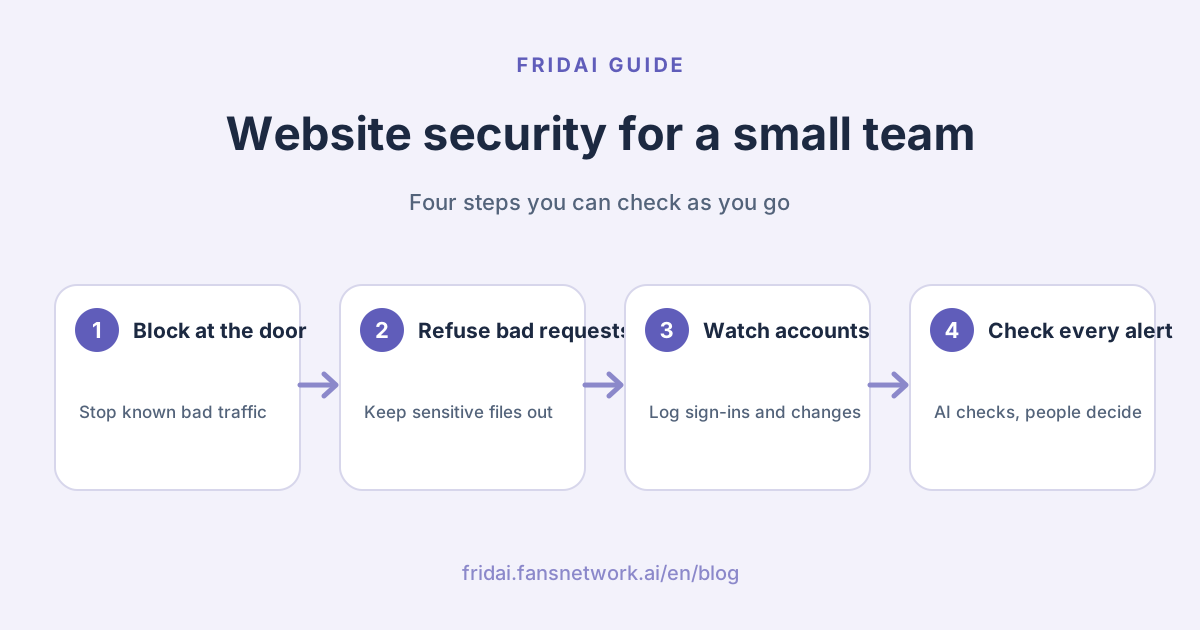
How to secure a website: four lines of defence, one job each
A small business does not need a security department. It needs someone looking after each layer. We split protection into four lines, and each one answers a single question.
| Line | Question | How a small business does it |
|---|---|---|
| At the door | Should this connection come in? | Use hosting or a CDN service with a built-in firewall |
| The site itself | Should this request get an answer? | Keep sensitive files out of the site folder, limit sign-in and form attempts |
| Accounts and data | Is this action normal? | Keep a record of sign-ins, sign-ups, permission and key changes |
| Alerts | What is this notice about? | Name one person or one AI assistant to trace every alert to an answer |
The first three can mostly be set up with ready-made services. The fourth is the one small businesses skip: the alert emails are switched on, nobody reads them, and after a while they are treated as spam.
Tip: more alerts are not better. Fifty unread emails a day are the same as no alerts. Set fewer kinds, and trace every one to the end.
What to do when a security alert fires: three real cases
When an alert fires, most of the time it is an ordinary person doing an ordinary thing. These three cases all come from our records in these four weeks, with accounts and sources anonymised.
Case one: a sign-in from abroad was a long-time customer on a trip
The alert said someone had signed in to the dashboard from another country. The AI assistant checked three things: whether the account belonged to an existing customer, whether it had signed in before, and what it did after signing in.
It was a paying customer who had been using the service for a while. The sign-in worked on the first try, followed by the same actions the customer usually takes. Conclusion: normal use, nothing to do.
Case two: a visitor flagged as suspicious was a crawler
An alert flagged a connection because it resembled malicious connections seen earlier. A closer look showed it had only opened the home page and a few public pages. It never touched sign-in, sign-up or anything that needs permission.
Conclusion: an ordinary web crawler that saw only what anyone can see.
Case three: a burst of requests was a customer's AI assistant
The system detected one source sending many requests in a short time, which triggered the rate limit. The check showed a customer had authorised their own AI assistant to organise data, and it was reading many records at once.
Conclusion: normal use. The rate limit worked as designed, protecting the system without affecting the customer.
The method all three cases share
| What to look at | What normal looks like | What needs action |
|---|---|---|
| Behaviour | Like a person: opens pages, signs in once, does the usual things | Repeated attempts, many accounts, addresses that do not exist |
| History | The account has been used for a while | A new account that goes straight to high-permission actions |
| Outcome | Nothing it should not see was reached | It obtained data or permissions that are not its own |
If all three land in the middle column, it is a false alarm. If any one lands on the right, it is time to act.
How AI and people share the work: AI checks, people decide
The slow part of security is checking, and not deciding. One alert has to be compared against connection records, account records and past behaviour. Done by hand, that means opening several logs, and at night nobody does it. That is exactly the part to give to AI.
| Give to AI | Keep for people |
|---|---|
| Watching the records around the clock | Whether to block a whole region or group of users |
| Tracing each alert to its source and context as soon as it fires | Whether to relax an existing protection rule |
| Writing a plain conclusion: who it was, what they did, whether to act | Any action that touches a customer account |
| Recognising the same event when it repeats, without nagging you again | Whether to make a public statement |
The reason for this split is practical: blocking one real customer by mistake costs far more than reading one extra notice. AI saves people from digging through records. People judge whether a gain in safety is worth a loss in convenience.
What we ask of the AI assistant is simple: trace every alert to an answer, and where something is uncertain, say so clearly instead of guessing.
Five things a small business can do today
- Keep config files out of the site folder. Passwords, keys and backups belong where the website cannot serve them. They are the first thing scanners look for.
- Limit sign-in and form attempts. Pause any source that tries too many times in a short period, and password guessing stops working.
- Set alerts only for what matters. Dashboard sign-ins, permission changes and payment settings are enough. Fewer is better.
- Name who checks. One person or one AI assistant. Every alert gets a conclusion, written down in one sentence.
- Check once a month for blocked customers. Protection rules make mistakes. Review the list of what was blocked and let the wrongly blocked ones through.
None of these needs an engineering team. Most can be set in the dashboard of your hosting service.
Summary: small business website security

A quick note from FRIDAI
You made it through the whole loop, so here are the points to keep:
- Being scanned is daily life. Look at whether anyone got something
- Four lines, one job each: the door, the site itself, accounts and data, alerts
- When an alert fires, check behaviour, history and outcome. Three normal answers mean a false alarm
- Give the checking to AI, and keep decisions that affect customers for people
- Start with five things: files put away, attempt limits, fewer alerts, a named owner, a monthly check for wrong blocks
Security is not only for large companies. Shut the door, go and look when the bell rings, and a small business can do it too ☺️
FAQ
Where should a small business with no engineer start on website security?
Start with three things: choose hosting or a CDN service with a built-in firewall, confirm that configuration files holding passwords and keys are not in the site folder, and set an attempt limit on dashboard sign-in. Most hosting dashboards let you do all three.
My website is scanned every day. Am I being targeted?
No. Automated scanners try the same addresses on every website, large or small. Judge your security by whether anyone obtained a configuration file, data or permissions, and not by whether anyone tried.
How do I tell a real attack from a false alarm?
Look at three things: whether the behaviour looks like a normal person, whether the account has a history of use, and whether anything it should not see was reached. If all three are normal it is a false alarm. If any one is not, act.
Can I let AI block suspicious connections automatically?
Checking and reporting suit AI well. Decisions such as blocking a whole region, relaxing a rule or acting on a customer account are better kept for a person, because blocking a real customer by mistake is costly.
How many kinds of security alerts are enough?
Set alerts only for what matters, such as dashboard sign-ins, permission changes and payment settings. Too many alerts that nobody reads are the same as none. Every alert traced to a conclusion matters more than the number of alerts.
Can protection rules block real customers?
Yes, which is why you review them. Once a month, look at what was blocked, confirm no real customer was caught, and adjust the rule if one was.
How FRIDAI can help
Watching security and answering customer messages follow the same idea: work that repeats, cannot be missed and also happens at night goes to AI, and work that needs judgment stays with you. FRIDAI Chat connects to your LINE Official Account, Instagram and Facebook Messenger DMs, answers common questions using the rules you write, and notifies you when a chat hits a situation you set to go to a person.
- DM customer service: FRIDAI Chat
- Writing the rules: The customer service SOP template
- Instagram: FRIDAI on Instagram
- Threads: FRIDAI on Threads
- Facebook: FRIDAI on Facebook
Official sources
- OWASP Top 10 web application security risks: owasp.org/
www-project-top-ten/ - Cloudflare WAF documentation: developers.cloudflare.com/
waf/ - FRIDAI Chat: fridai.fansnetwork.ai/
en/ fridai-chat