
When you do nails or lashes, both hands are on the customer, often for an hour or two. The DMs that arrive in that time are nearly always about the same three things: how much, which day is free, and can I change my time. Below we cover what each of the three needs, how to lay out booking and rescheduling, which messages always stay with you, and the launch conditions to check when you evaluate a tool.
Why nail and lash studio DMs suit AI so well
Nail and lash DMs have one thing in common: the questions are concentrated, and nearly every answer is already in your price list and your calendar.
| What customers ask | Typical wording (illustrative) | Where the answer lives |
|---|---|---|
| Prices | "How much is single-colour gel?" "Is removal extra?" "How do lash refills work?" | Price list and add-on conditions |
| Booking | "Any slots this Saturday afternoon?" | Free slots on your calendar |
| Rescheduling | "Something came up, can I move to next Wednesday?" | Reschedule and deposit rules |
All three have fixed answers, so once they are written down the AI can follow them. FRIDAI's after-hours DM report found that 62% of DM enquiries arrive outside working hours. Nail and lash customers often scroll past your work in the evening and ask right then, and a reply at that moment keeps the booking.
For the wider beauty industry, including who answers what and 15 reply templates, see AI customer service for beauty salons. This guide focuses on the three things nail and lash studios get stuck on most.
How to write prices so the AI answers accurately
The word "from" on a price list causes more back-and-forth than anything else. The customer asks "how much is gel", you reply "from 800", and the customer asks "so how much for mine". That is five or six messages. Write out the conditions behind "from" and the AI gives the full answer in its first reply.
Every amount in this table is illustrative. Replace them with your own prices:
| Service | Written like this, customers ask again | Written like this, the AI answers in one go |
|---|---|---|
| Single-colour gel, hands | From 800 | Single colour 800; colour change +50 per nail; cat-eye or chrome +100 per nail |
| Removal | Extra | Removal of our own work 200; work from another salon 300; 100 off if you get a new set the same day |
| Extensions | Depends | Single nail 150; full set of ten 1,200; broken nail repair 100 per nail |
| Nail art | Quote from photo | Three tiers: simple 1,200, designed 1,600, full cover from 2,000; the nail artist confirms the tier after seeing the photo |
| Lash extensions | From 1,000 | Natural set 1,000; volume set 1,400; lower lashes +300 |
| Lash refill | Extra | Within two weeks 500; within three weeks 700; after three weeks priced as a new set |
When you write your prices, add these four things:
- Add-on conditions: length, number of nails, design tier, removal of another salon's work, and how much each one adds.
- Services that need a photo: write "send a reference photo and the nail artist will confirm". The AI collects the photo, explains the tier price range, then notifies you.
- Offer dates and conditions: when the new-customer or birthday offer ends and what the customer needs to show.
- Payment methods: cash, bank transfer, mobile payment, and how the deposit is paid.
Quick tip: pull up your last ten price enquiries and look at what customers ask in their second message. The answer to that message is the line your price list is missing~
Taking bookings: set how long each service takes first
Whether bookings hold up depends on whether the AI knows your real free slots. Those come from three settings: opening hours, how long each service takes, and who does it.
FRIDAI Chat has a built-in booking system. As the official page describes it, when a customer says in a LINE, Instagram or Facebook DM that they want to book, the AI checks your opening hours and free slots, asks for the date and contact details, and creates the booking. Prepare these when you set it up:
- Services and durations: single-colour hands, designed hands, feet, removal plus a new set, lash extensions, lash refill, and how long each takes. Get the durations right and the next customer is never squeezed.
- Opening hours and days off: each day can have several time blocks, so a lunch break is simply two blocks. On a day off, customers cannot book.
- Staff: with two or more nail or lash artists, each has their own working hours. Staff can sign in with their own email to see their bookings and request leave.
- Google Calendar: once connected, bookings appear in Google Calendar, and any time that already has an event cannot be booked.
Customers can also book on their own. Put your booking link in your Instagram bio, LINE menu or website; the customer opens it, picks a date and time, fills in their details, and the booking is made. If they send "
Every new booking, time change or cancellation is sent to your LINE notification group or email with the name, time, service and phone number, including bookings the AI made in DMs. For the full setup screens, see how to take bookings on LINE.
Reschedules, cancellations and no-shows: write the rules, let the system run them
A nail or lash slot serves one customer. A last-minute change or a no-show leaves that slot empty. Write the rules clearly and let the system follow them, so you never have to chase anyone yourself.
Rescheduling and cancelling
Decide your rule and write it as one sentence a customer understands, such as "to reschedule, tell us by 8 pm the day before". FRIDAI's booking confirmation includes a change link. The customer opens it to change the time or cancel, and you are notified either way. Customers can also just tell the AI in a DM. Bookings that are already paid or about to start cannot be cancelled by the customer and come back to you.
Automatic reminders
Reminders are the most direct way to cut no-shows. Turn on "automatically remind customers" in the booking settings and tick the times you want, up to six:
| When | Sent by | What it says |
|---|---|---|
| Booking confirmed | Email + LINE | Sent straight away, with the change link |
| The day before | Email + LINE | "See you tomorrow" |
| 3 hours before | LINE | "See you today" |
| 1 hour before | Email + LINE | "See you in 1 hour", with the address and directions |
| 15 minutes before | LINE | Online bookings only |
| Started | LINE | "We have started" |
LINE reminders need your LINE Official Account connected to FRIDAI, and the customer must have booked on LINE or tapped "get reminders on LINE" after booking. These reminders count towards your LINE Official Account message quota. Email reminders need the customer's email address.
When a customer does not show up
Mark the booking as a no-show. The next day the system asks the customer whether they want another time and sends the next 3 free slots, so one reply rebooks them. You can also turn on "confirm after 2 no-shows": once the same person has missed 2 bookings, anything they book on the booking page becomes "pending" until you tap "confirm booking" on LINE.
Editor's tip: only write deposit and cancellation rules you will actually enforce. If the rule says one thing and you make an exception every time, neither your customers nor the AI can tell which one counts~
Which messages always stay with you
The AI takes the fixed answers and you take anything that needs professional judgement. Write "notify a person when this happens" straight into your rules:
| Situation | What the AI does first | What you do |
|---|---|---|
| Customer sends a reference photo and asks the price | Collects the photo, explains the tier price range | Look at the photo, confirm the approach and the quote |
| Unusual nail or lash condition | Notes what the customer describes | Decide whether it can be done or needs care first |
| Mentions an allergy, redness or discomfort | Asks the customer not to treat it themselves and notifies you at once | Follow up personally |
| Unhappy with the result, wants a redo | Apologises and says you will reply in person | Handle it personally |
| Haggling or asking for extra discounts | Explains current offers | Decide whether to give one |
| Asks for a guarantee on how long it lasts | Explains general aftercare | Advise based on the customer's situation |
Every FRIDAI Chat plan includes human collaboration and human review. When a person is needed, FRIDAI's official LINE account notifies you, and once you take over the AI steps aside. Before launch, connect the notification and test it once: check that the alert arrives and that the AI stops after you take over.
Five launch conditions to check when you evaluate a tool
Plenty of tools can answer LINE and Instagram. A nail and lash studio can choose by need with these five tests:
| Condition | Why it matters | How to test |
|---|---|---|
| LINE and Instagram share one set of data | Change a price once and both update | Ask the same question on LINE and on Instagram |
| Prices and rules in plain language | You can edit them yourself | Change one price and ask again |
| Booking sees your real free slots | Two customers never land in the same slot | Try to book a slot that is already taken |
| Reschedule, reminder and no-show flows | Empty slots get filled again | Walk through one reschedule and one no-show |
| Clear human handoff | Photo quotes and complaints come back to you | Send a reference photo and see whether you are notified |
FRIDAI Chat's launch conditions are simple: subscribe, connect your LINE Official Account and Instagram, write your prices and studio rules in plain language (or scan your posts, DMs, website and documents in one click for a first draft), connect human notifications, then open booking management and set your opening hours and services. Instagram, Facebook and LINE DMs all go through officially authorised APIs. Studios already scheduling with SimplyBook.me can connect it directly, and the AI books customers into SimplyBook's free slots.
Eight questions to test before launch
Use your own prices and calendar and ask each question once on LINE and once on Instagram. Switch everything on when all eight pass:
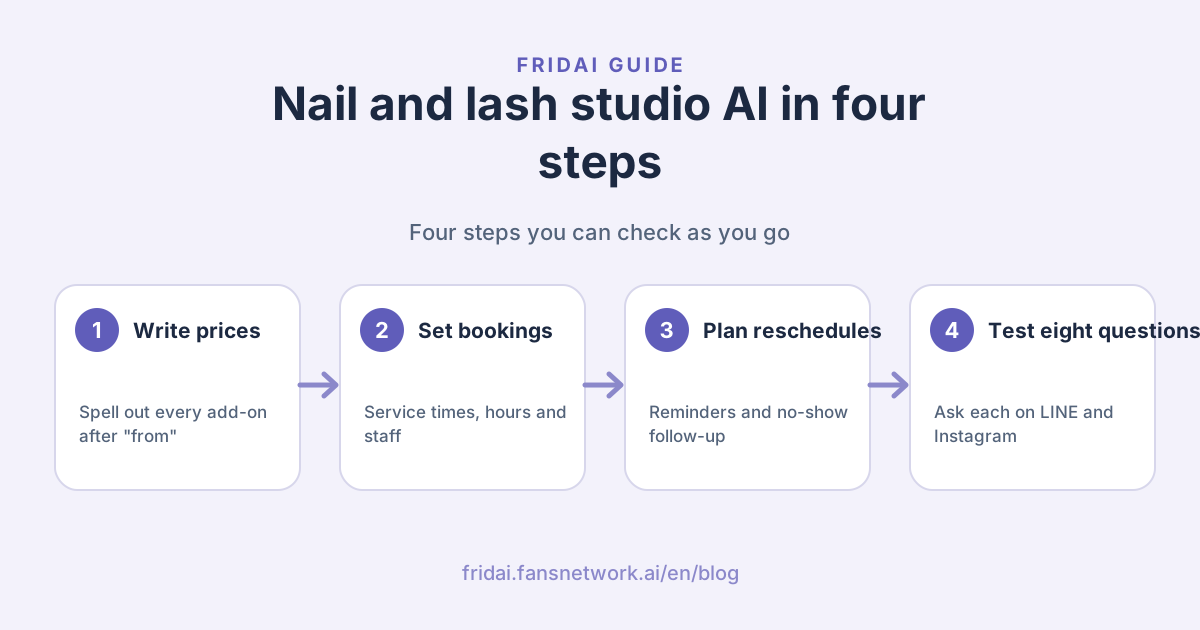
1. "How much is single-colour gel on hands? Is removal extra?"
2. "I had mine done at another salon. Can you remove them and redo them?"
3. "Can I book this Saturday afternoon?"
4. "How do lash refills work? I had mine done three weeks ago."
5. (send a reference photo) "Can you do this design? How much?"
6. "Something came up tomorrow. Can I move to next Wednesday?"
7. "My eyes were a bit red after last time. Can I still get them done?"
8. "Can you give me a better price?"| Question | What a pass looks like |
|---|---|
| 1, 2, 4 | Price and add-on conditions in one reply |
| 3 | Only offers slots that are really free, and asks for name and phone |
| 5 | Collects the photo, explains the tier price range, notifies you |
| 6 | Follows your reschedule rule, and you are notified after the change |
| 7, 8 | Does not decide on its own, notifies a person |
Working out the cost
Per the official pricing page, FRIDAI Chat is priced by AI replies per month, with the quota shared across LINE, Instagram and the other DM platforms, 8 in total. The booking system is included in every plan at no extra charge:
| Plan | Monthly | Yearly | DM replies per month |
|---|---|---|---|
| Plus | US$70 | US$700 (2 months free) | 500 |
| Pro | US$160 | US$1,600 (2 months free) | 2,000 |
| Max | US$300 | US$3,000 (2 months free) | 5,000 |
Paying through PAYUNi or JKOPAY is charged in New Taiwan dollars at NT$33.6 to US$1, so the US$70 plan is NT$2,350 a month. You can start with a US$1, 30-day trial (NT$30 through PAYUNi or JKOPAY); booking management is in the advanced dashboard once you are on a full subscription.
A one- or two-person studio with LINE plus Instagram usually starts by looking at Plus. Check it against last month's DM count and you will know. The full method is in the AI customer service pricing guide.
Summary: your hands stay on the customer, the messages come to me

A quick note from FRIDAI
Nail and lash studio DMs are simpler than they look, so let's wrap up together~
- Write out the add-on conditions behind every "from" price, and I can give the full answer in my first reply.
- Set each service's duration, your opening hours and your staff, and the slots I find are the real ones.
- Plan reschedule rules, automatic reminders and no-show follow-up, and empty slots get filled again.
- Put photo quotes, allergies, complaints and haggling under "notify a person". Those stay with you.
- Before launch, ask the eight questions on both LINE and Instagram, and switch everything on when they all pass.
Send me your price list and these eight questions for a test run, and keep your hands free for your customers ☺️
FAQ
Is AI customer service a good fit for nail and lash studios?
Yes. Nail and lash DMs are mostly about prices, bookings and reschedules, and the answers are in the price list and the calendar. Both hands are on the customer during a service, so having the AI catch messages first means bookings are not missed.
Can the AI book a nail or lash appointment directly?
Yes. FRIDAI Chat has a built-in booking system. Once you set opening hours, services and durations, a customer who asks to book in a LINE, Instagram or Facebook DM gets free slots from the AI, leaves contact details, and the booking is created and sent to you.
How does the AI handle reschedules and cancellations?
The booking confirmation includes a change link, so the customer can change the time or cancel, or simply tell the AI in a DM. You are notified of every change or cancellation. Bookings that are already paid or about to start come to you.
What happens when a customer does not show up?
Mark the booking as a no-show. The next day the system sends the next 3 free slots and asks whether the customer wants to rebook. You can also turn on "confirm after 2 no-shows", so a person who has missed 2 bookings needs your confirmation for bookings made on the booking page.
How does the AI reply when a customer sends a reference photo?
Write your design tiers and price ranges into the rules. The AI collects the photo, explains the tiers, then notifies the nail artist to confirm the quote. The approach and the final price are your decision.
Does it work with two or more nail or lash artists?
Yes. Each staff member has their own working hours and signs in with their own email to see their bookings and request leave. Once leave is approved, the AI does not book that person on those days.
How much does AI customer service cost for a nail and lash studio?
FRIDAI Chat is US$70, US$160 or US$300 a month, with 500, 2,000 or 5,000 DM replies a month shared across 8 platforms, and every plan includes the booking system. Yearly billing gives 2 months free.
How FRIDAI can help
If customers ask your studio about prices, booking and rescheduling on LINE and Instagram every day, use FRIDAI Chat to turn your prices and studio rules into brand knowledge, open booking management, then run the eight questions above to confirm that bookings go through and that you are notified when you should be.
- DM AI customer service: FRIDAI Chat
- Booking system: FRIDAI Booking
- Plans and pricing: FRIDAI pricing
- Instagram: FRIDAI Instagram
- Threads: FRIDAI Threads
- Facebook: FRIDAI Facebook
Official sources
- FRIDAI Chat: fridai.fansnetwork.ai/
en/ fridai-chat - FRIDAI Booking: fridai.fansnetwork.ai/
en/ booking-system - FRIDAI pricing: fridai.fansnetwork.ai/
en/ pricing