
When a post takes off, the comments never stop, and fans care most about whether you replied. This guide walks through the FRIDAI dashboard step by step, with desktop and phone screenshots, and shows how the 170,000-follower creator account "AI
The result first: 4,832 comment replies in 30 days
"AI
| Platform | AI replies in 30 days |
|---|---|
| Threads | 2,141 |
| 1,701 | |
| Facebook Page | 990 |
| Total | 4,832 |
A few real exchanges, translated from Chinese, with commenter names hidden:
| Platform | Fan comment | AI twin reply |
|---|---|---|
| Middle of the night…? A day without your cheesy lines feels like something's missing 😅 | Can't sleep without me? 😉 | |
| Threads | No post yet… I'll claim first place | First place goes to you 😉 |
| Threads | Fan perks are what matter, who cares if it's weird 😁🤣 | Perks come first, of course 🤣 |
| Beautiful | Hehe you're sweet 😉 |
Replies stay short and playful, and fans who write in English or Thai get a reply in the same language. Each step below explains how she gets this result.
Before you start: prepare three things
- A short intro: who you are, what you share, what fans call you
- Ten comments you answered yourself: from recent posts, they show your voice best
- Links to send fans to: a LINE account, course, product page or booking page
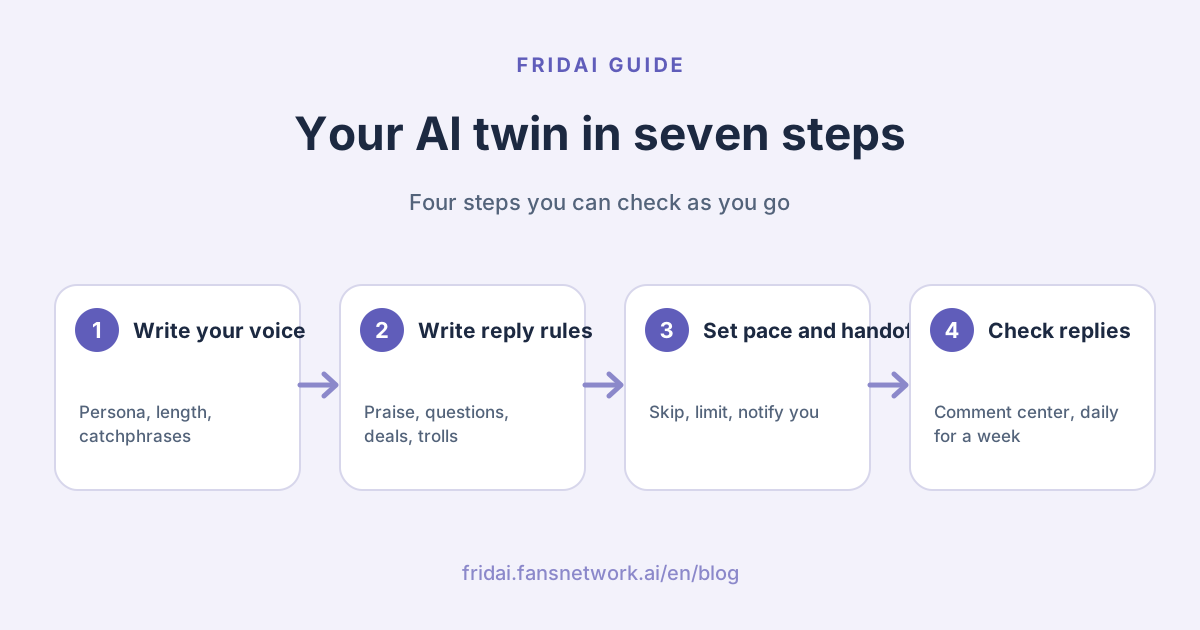
Step 1: Write your persona and voice in the notebook
Open the FRIDAI dashboard, choose the comment account, and click "AI Rules (Notebook)" on the left. On the Write tab, add two sections: a persona saying who you are and what you share, and a reply style covering length, catchphrases and emoji. Stuck? Click "AI Auto Setup" at the top for a draft to edit.

The more specific your voice, the more it sounds like you. The "AI
- Every reply is under 10 characters
- Playful and self-mocking, like chatting with a friend
- No emoji in the reply when the fan used none
- Pick a different heart colour each time instead of always ❤️
Tip: first drafts are usually too long and too eager. Read ten replies, then turn the length and warmth down to find your tone~
Step 2: Write reply rules for each kind of comment
Add a "Reply rules" section to the same notebook. Group common comments and say how to answer each:
| Comment type | Suggested rule |
|---|---|
| Praise | Accept it happily, say thanks briefly |
| Questions | Answer simply, point long answers to a video or DM |
| Collaborations | Ask them to send an email |
| Personal questions | Deflect with humour, never share address, relationships or income |
| Trolls | No arguing, close calmly |
| Helping pick photos | When a fan replies with a number, answer "Number 2 gets a vote~" |

Then click Test in the top right and try a few fan comments to check each reply sounds like you.
Step 3: Set comment-to-DM to lead fans onward
To send fans to LINE, a course or a product page, use "Post Keyword DM". Click "Add Post", then pick one of your recent posts or paste a post link. This needs both a comment plan and a DM plan.

Then set up a rule for that post:
- Trigger Keyword: a comment containing this word triggers the rule, such as "checklist"
- DM Content: the message and link sent to the fan
- Comment Reply: a public "Sent you a DM" line. Add a few variations and one is picked at random each time, so it reads naturally
- Two-step claim: the DM first sends a button and the link follows after the fan taps it, which brings more replies and keeps the link out of the first message

"AI
Step 4: Choose which comments need no reply
Open reply settings and go to "Reply exclusions". Turn on "AI Smart Skip", and the AI decides whether each comment needs a reply, skipping emoji-only comments and friend tags. You can also turn on "Smart Hide" and describe comments to hide, such as spam or suspicious links.

Step 5: Set a human reply pace
Under "Timing & frequency", limit how many replies one person gets in a time window. "AI

This page also sets live-comment limits, reply probability and reply delay. A few seconds of delay makes replies feel like you answered while scrolling.
Step 6: Set human handoff
Open "Human handoff" and decide what comes back to you:
- Comment Review Mode: the AI drafts each reply and waits for your approval, good for week one
- Human Takeover Detection: the AI pauses while you reply yourself
- Skip comments you've already replied to: comments you answered in the app get no second reply
- Comment Notify-Human Sensitivity: slide right to be notified about more comments

Tip: run review mode for a few days after launch, then switch it off once every reply sounds like you~
Step 7: Check replies in the comment center
Leave a few test comments from a second account, then open "Comment Center" on the left. AI replies carry an AI label so you can check tone and content one by one. Click Reply to add your own answer, or "AI Reply" to have the AI answer again.

Check three things daily in your first week
| Check daily | If you see this | Do this |
|---|---|---|
| Replies in the comment center | Too long or too eager | Add a length limit to the notebook |
| The same question | Keeps coming up | Add the answer to your reply rules |
| Remaining monthly balance | Higher use than expected | Adjust reply limits or your plan |
Several accounts can share one notebook. Her Facebook Page and Threads use the same one, so one edit updates both.
Summary: write the notebook, then hand over

A quick note from FRIDAI
The heart of an AI twin is writing down how you would reply. The switches just control the pace. In short:
- Capture your voice with a persona and specific length rules
- Write rules for praise, questions, collaborations, personal questions and trolls
- Use post keyword DMs to send fans to LINE, courses or products
- Turn on AI Smart Skip and set reply limits for a human rhythm
- Use review mode in week one and check the comment center daily
Put ten comments you recently answered into your notebook, and let me try replying in your voice ☺️
FAQ
What does a KOL need to set up an AI twin?
A short intro, ten comments you answered yourself and the links you want fans to reach. FRIDAI's AI Auto Setup can produce a first draft that you then edit into your own voice.
Can one AI twin reply on Instagram, Facebook and Threads?
Yes. Each platform account gets its own comment plan, and accounts can share one notebook, so a change to voice or rules applies to all of them.
Will fans notice the replies come from AI?
Mention in your bio or a pinned post that an AI twin helps you reply, and fans will feel more at ease. A specific voice, short replies and a slower pace keep replies close to your own.
Which plans does comment-to-DM need?
Post keyword DMs need both a comment plan and a DM plan, so a DM can go out after a fan comments.
I want to answer some comments myself. Will the AI jump in first?
Turn on human takeover detection and skip comments already replied to, and the AI will not reply where you already have. Add a reply delay to give yourself time to answer first.
How much does replying to thousands of comments cost?
FRIDAI comment plans start at US$70 a month with 500 replies, with US$160 and US$300 plans above that. You can also try it for 30 days for a one-time US$1.
How FRIDAI can help
FRIDAI keeps your voice, rules and links in one notebook, replies to comments on Instagram, Facebook and Threads, and hands judgment calls back to you, so your time goes into creating.
- Comment engagement: FRIDAI Social
- DM customer service: FRIDAI Chat
- Content publishing: FRIDAI Post
- Further reading: What is an AI twin?
- Instagram: FRIDAI Instagram
- Threads: FRIDAI Threads
- Facebook: FRIDAI Facebook
Official sources
- FRIDAI Social: fridai.fansnetwork.ai/
fridai-social - FRIDAI pricing: fridai.fansnetwork.ai/
pricing - FRIDAI guide: www.fansnetwork.ai/
zh/ guide